
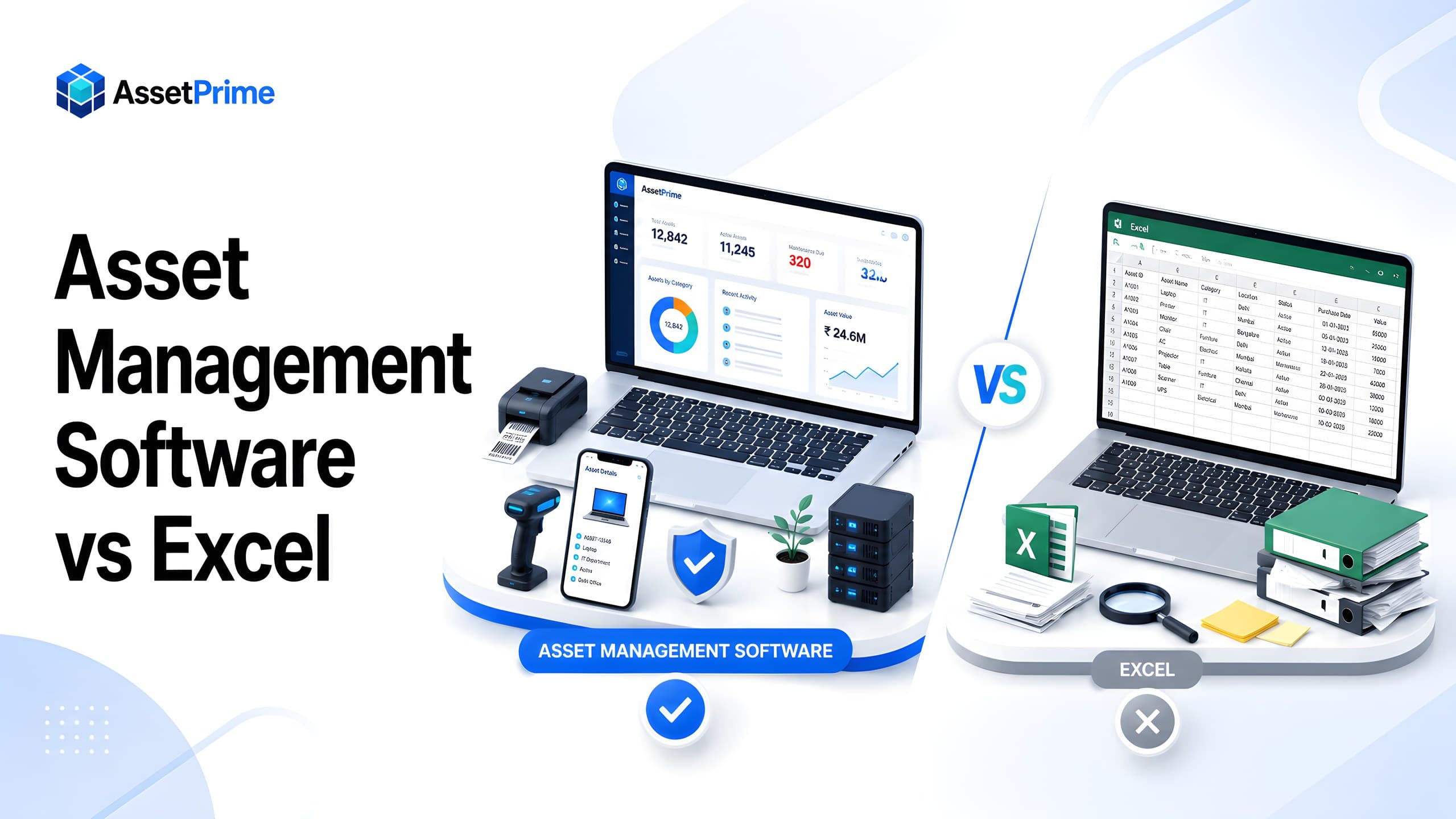
Excel is a useful starting point, but it is not an asset management system
Excel is often the first tool organizations use for asset tracking. It is familiar, flexible, quick to start, and easy to share. A team can create columns for asset code, asset name, category, serial number, location, purchase date, value, department, user, and remarks within minutes.
For a very small business with one office, limited assets, and one person maintaining the file, Excel may work as a basic asset register. It is also useful during initial asset surveys, old data collection, and migration preparation before moving to a structured system.
The problem begins when asset tracking becomes an ongoing operational process. Assets get purchased, received, assigned, moved, repaired, insured, depreciated, audited, and disposed. Different teams need access. Different branches need visibility. Finance needs reports. Operations needs accountability. Auditors need evidence. At this stage, a spreadsheet becomes difficult to trust.
The main difference is simple: Excel stores asset data, while asset management software controls the asset lifecycle. Excel is a file. Asset management software is a controlled system of record.
“You cannot control assets clearly when ownership, location, maintenance, and audit history live in separate files.”
Why many businesses start with Excel for asset tracking
Businesses start with Excel because it has a low barrier to entry. Most employees already understand rows, columns, filters, formulas, and basic formatting. No new software training is required and no implementation project is needed in the beginning.
Excel is also helpful when data comes from multiple departments. Finance may have purchase values and invoices, IT may have serial numbers, admin may have office locations, and operations may know current usage. A spreadsheet can collect this information before the organization standardizes it.
Another reason is cost perception. Excel feels free because the organization may already have access to it. But the real cost of asset tracking is not only the software license. It includes time spent correcting errors, reconciling versions, rebuilding reports, searching for missing assets, and preparing for audits manually.
Excel is a good starting point for data preparation. It is not a reliable long-term foundation when the organization needs control, accountability, history, alerts, permissions, and audit-ready reporting.
What strong asset control should make visible
- ✓Where each asset is located today.
- ✓Who is responsible for the asset.
- ✓When it was purchased, moved, maintained, or disposed.
- ✓Which records are ready for audit, reporting, and decision-making.
Where Excel works well
Excel works well for simple asset lists where records rarely change. If an organization only wants to maintain a one-time list of assets for internal reference, a spreadsheet can be practical.
It is also useful for temporary data cleaning. Before importing asset records into software, teams can use Excel to remove duplicates, standardize asset names, normalize categories, validate purchase dates, and correct location names.
Excel can support ad hoc analysis. A manager may quickly create a pivot table, filter assets by year, or calculate category-wise value. For one-off analysis, spreadsheets are flexible.
The limitation is that Excel does not enforce business workflows. It does not naturally manage barcode scanning, movement history, role-based permissions, maintenance schedules, warranty renewals, AMC alerts, insurance tracking, depreciation workflows, or audit logs.
Where Excel fails as organizations grow
Excel becomes risky when multiple people update the same asset data. Different versions of the file may exist in email, shared drives, local folders, and department copies. Once multiple versions exist, teams may no longer know which file is correct.
Another major issue is overwritten history. When an asset moves from one branch to another, a user may simply edit the location column. The current location changes, but the previous location, transfer date, approval reference, user responsibility, and movement reason are lost.
Ownership tracking is also difficult. If a laptop is assigned to an employee, returned, reassigned, sent for repair, or transferred to another department, every event must be manually updated. One missed update can make the asset record unreliable.
Maintenance, warranty, AMC, insurance, and depreciation often end up in separate sheets. This creates disconnected data. A team may know an asset exists, but not whether it is under warranty, when its AMC expires, what maintenance cost it has incurred, or whether it is still financially useful.
Reporting becomes slow because spreadsheets are not always audit-ready. Before every audit or management review, teams must clean records, compare files, confirm physical locations, and manually prepare summaries.
The hidden costs of spreadsheet-based asset tracking
Spreadsheet tracking looks inexpensive only when the asset environment is simple. As soon as the organization grows, hidden costs appear in the form of manual effort, poor visibility, duplicate purchases, missed renewals, and audit preparation time.
A common hidden cost is duplicate buying. If teams cannot see available assets across branches, they may purchase new items even when usable assets are idle elsewhere. This is especially common with IT equipment, tools, furniture, medical devices, and operational equipment.
Another hidden cost is downtime. When maintenance records are incomplete, teams may not know which assets are overdue for service or which assets repeatedly fail. Poor maintenance visibility can increase repair cost and reduce operational reliability.
There is also a compliance cost. During audits, the organization may struggle to prove where an asset is, who used it, when it moved, or why it was disposed. Without a reliable history, even correct assets can appear poorly controlled.
Security is a further concern. A spreadsheet may allow broad access, but it is difficult to restrict users by branch, location, role, or report type. It is also difficult to know who changed a value and when.
What asset management software does differently
Asset management software treats every asset as a controlled record with its own identity, lifecycle, ownership, location, documents, and history. Instead of being one row in a spreadsheet, an asset becomes a complete operational profile.
A modern system connects asset registration, procurement, receiving, barcode labels, stock visibility, employee assignment, branch transfers, maintenance, warranty, AMC, insurance, depreciation, audit logs, and reports. These activities are not separate files; they are connected to the same asset record.
This improves trust. When an asset moves, the movement is recorded instead of simply overwriting the current location. When an asset is assigned, the assignment history is preserved. When maintenance is completed, cost and status can be recorded. When warranty or AMC expires, the team can act before coverage is missed.
Asset management software also supports structured permissions. Users can be restricted by module, role, branch, or location, so they only see the assets and reports relevant to them. This is difficult to control reliably in Excel.
Excel vs asset management software: feature-by-feature comparison
Asset register: Excel stores asset rows manually. Asset management software creates structured records with asset codes, categories, documents, lifecycle status, location, financial details, and history.
Multi-branch tracking: Excel depends on manual columns and filters. Asset management software supports branch-wise and location-wise visibility, including hierarchical locations such as buildings, floors, departments, rooms, stores, and warehouses.
Movement history: Excel often overwrites the current location. Asset management software records transfers, service movements, assignments, returns, disposals, lost assets, retirements, and audit actions as history.
Barcode tracking: Excel may store barcode numbers, but scanning workflows are limited. Asset management software can connect barcode labels to asset records for audits, verification, movements, and maintenance.
Maintenance and coverage: Excel usually separates warranty, AMC, insurance, and service history. Asset management software connects maintenance and coverage details directly to each asset.
Permissions and audit logs: Excel provides limited control. Asset management software supports role-based access, location permissions, and activity history so accountability is clearer.
Reports: Excel requires manual reporting. Asset management software can generate asset register, stock position, movement, maintenance, warranty, AMC, insurance, procurement, depreciation, assignment, disposal, and audit reports.
Comparison table: Excel vs AssetPrime
Data structure: Excel depends on manually maintained rows and columns. AssetPrime provides structured asset records with categories, asset codes, stock, instances, documents, and lifecycle status.
Location visibility: Excel uses simple location fields. AssetPrime supports branch-wise and hierarchical location tracking across buildings, floors, departments, rooms, stores, warehouses, and custom levels.
Bulk and serialized assets: Excel often mixes quantities and individual assets in the same sheet. AssetPrime supports both bulk stock and serialized asset instances, so organizations can manage quantities and individual high-value items properly.
Asset history: Excel usually shows the latest edited value. AssetPrime keeps a timeline across movements, assignments, maintenance, coverage, purchase records, depreciation, disposal, and audit activity.
User access: Excel is difficult to control at a granular level. AssetPrime supports role-based access and LocationScope permissions, allowing teams to restrict visibility by user responsibility and location scope.
Operational reports: Excel reports must be prepared manually. AssetPrime provides dedicated reports for asset register, stock position, movement, procurement, maintenance, warranty, AMC, insurance, depreciation, assignment, disposal, and full asset intelligence.
Scalability: Excel works for small lists. AssetPrime is designed for growing organizations managing assets across departments, branches, teams, and lifecycle stages.
When should a business move beyond Excel?
A business should move beyond Excel when asset data is no longer trusted. If teams regularly ask which spreadsheet is correct, who last updated the file, or why physical assets do not match records, the process has outgrown manual tracking.
Frequent movement is another signal. If assets move between branches, departments, rooms, service centers, employees, warehouses, or stores, a current-location column is not enough. The organization needs controlled movement history.
Audits are also a strong indicator. If every audit requires weeks of data cleaning, department follow-ups, file reconciliation, and manual verification, asset management software can reduce repeated effort.
Coverage and maintenance gaps are another reason to upgrade. Missed warranty, AMC, insurance, calibration, or service dates can create direct financial and operational loss.
Finally, organizations should move beyond Excel when they need accountability. Role-based access, audit logs, user permissions, lifecycle workflows, and reliable reporting are difficult to maintain in spreadsheets alone.
When Excel is still enough for asset tracking
Excel can still be a practical choice for a very small and stable asset register. If one person maintains the file, assets rarely move, there are few locations, maintenance is minimal, and the organization only needs a basic list for occasional reference, dedicated software may add unnecessary process.
A spreadsheet is also useful during early data collection, one-time inventories, imports, and analysis. The issue is not that Excel is incapable of storing asset information. The limitation appears when the organization expects the spreadsheet to behave like a controlled multi-user operational system.
The decision should therefore be based on workflow complexity rather than asset count alone. A company with 500 static assets may manage comfortably in Excel, while another with 200 frequently assigned and transferred devices may need stronger controls.
Signs you have outgrown Excel for asset management
Common warning signs include multiple spreadsheet versions, uncertainty about the current location of equipment, frequent manual reconciliation, missing assignment history, duplicate asset records, delayed maintenance updates, and difficulty identifying warranties or AMCs that require action.
Multi-branch operations create another tipping point. When different locations edit separate files or send updates to a central administrator, the asset register can become outdated before consolidation is complete.
Audit requirements also expose spreadsheet limitations. If the team must reconstruct who changed a record, where an asset moved, who previously held it, or why its status changed by searching emails and old files, the organization is managing history outside the register.
At that point, the business case for asset management software is less about replacing spreadsheet cells and more about replacing fragmented operational workflows.
Hidden costs of managing assets in spreadsheets
Excel itself may have little incremental software cost, but manual asset management can create operational costs that are harder to see. Employees spend time reconciling files, confirming locations, searching for equipment, checking old emails, preparing audit data, and rebuilding histories that were never captured systematically.
Inaccurate information can also contribute to duplicate purchases, missed warranty claims, unnecessary repairs, delayed maintenance, idle equipment, and poor replacement planning. These costs do not appear as an Excel licence fee, but they affect the total cost of the process.
When comparing Excel with dedicated software, include administration time, audit preparation, data cleanup, errors, missed actions, and the cost of weak visibility. Software becomes commercially justified when the value of better control exceeds the cost of implementing and operating the system.
A practical decision checklist: Excel or asset management software?
Stay with Excel when the asset base is small and stable, one person controls updates, locations and assignments rarely change, maintenance and coverage tracking are simple, and there is little need for transaction history or granular permissions.
Consider dedicated asset management software when multiple users need controlled access, assets move between locations, equipment is assigned and returned, maintenance must be scheduled, warranty or AMC dates need monitoring, physical audits are frequent, or management needs reliable historical reporting.
Software is also more appropriate when branches need restricted access to their own assets while central management requires consolidated visibility, or when important actions must be traceable through audit logs.
The best choice is the simplest system that can reliably support the organization's current workflows and expected growth without creating avoidable administrative work.
How AssetPrime helps organizations replace Excel asset tracking
AssetPrime helps organizations move from spreadsheet-based tracking to a centralized asset management platform for complete asset lifecycle control. It supports asset registration, barcode-ready records, bulk and serialized asset tracking, multi-branch visibility, hierarchical locations, assignment, movements, maintenance, warranty, AMC, insurance, depreciation, audit logs, and enterprise reporting.
The Asset Intelligence Console gives teams a full view of each asset from one place. Instead of checking multiple sheets, users can review stock or instance details, purchase history, receiving, movements, assignments, maintenance, warranty, AMC, insurance, depreciation, documents, disposal, and audit activity.
For multi-branch organizations, AssetPrime supports visibility across branches, departments, rooms, stores, and other operational locations. LocationScope permissions help ensure users access only the assets and reports relevant to their responsibility.
For operations teams, AssetPrime connects everyday workflows such as asset movement, assignment, service tracking, and coverage monitoring. For management, reports improve visibility for planning, audit readiness, cost control, and replacement decisions.
Best practices for migrating from Excel to asset management software
Start by cleaning the spreadsheet. Remove duplicate assets, standardize naming, validate serial numbers, confirm purchase details, and align location names before import.
Define asset categories clearly. Separate fixed assets, IT assets, machinery, furniture, medical equipment, tools, bulk stock, serialized assets, and consumables based on how each item should be tracked.
Create a consistent asset coding and barcode structure. Unique asset codes make physical verification, movement recording, assignment tracking, and reporting easier.
Map the organization structure before migration. Branches, locations, departments, floors, rooms, stores, warehouses, and service areas should be defined properly before assets are loaded into the system.
Assign ownership. Every asset should have a responsible location, department, custodian, or employee where applicable. This improves accountability during audits and day-to-day operations.
Train users on daily workflows. The system becomes valuable when users consistently record purchases, receiving, assignments, movements, maintenance, coverage updates, and disposals.
Review reports after migration. Compare imported records with physical assets and use the first verification cycle to improve data accuracy.
ROI: why software can cost less than Excel over time
The return on asset management software is not only measured by software cost. It is measured by the reduction in manual work, duplicate purchases, missing assets, downtime, audit effort, and poor decision-making.
If a team spends many hours every month updating spreadsheets, preparing reports, chasing departments, and reconciling records, that effort already has a cost. A structured system reduces repeated administrative work.
If better visibility prevents even a few duplicate purchases or missed warranty renewals, the savings can be meaningful. For asset-heavy organizations, avoided mistakes often justify the move from spreadsheets to software.
Software also improves decision quality. When management can see asset age, condition, maintenance cost, location, coverage, depreciation, and usage, replacement and procurement decisions become more informed.
Final verdict: Excel or asset management software?
Excel is still useful for simple lists, temporary analysis, and preparing asset data. It is flexible and familiar, and it can be a practical starting point for small teams.
Asset management software is the better choice when assets affect operations, audits, maintenance, purchasing, financial reporting, accountability, and compliance. It provides the structure that spreadsheets cannot reliably enforce.
The decision is not really Excel versus software. It is whether your asset process is still a simple list or has become a business-critical workflow. Once assets move across people, locations, departments, service events, financial stages, and audits, a dedicated platform becomes the safer long-term foundation.
For growing organizations, replacing Excel does not mean discarding spreadsheet knowledge. It means using Excel where it works best, for preparation and analysis, while using asset management software as the trusted system of record.
Related AssetPrime Pages
Continue with related pages
Explore connected features, guides, solutions, and industry pages that support this topic.
FAQ
Frequently asked questions
Can Excel be used for asset management?
Yes. Excel can be used for small asset lists, early-stage asset data collection, and migration preparation. It becomes difficult when assets move frequently, multiple users update records, audits are required, or maintenance and coverage tracking become important.
Why is asset management software better than Excel?
Asset management software provides structured asset records, movement history, barcode tracking, maintenance management, warranty and AMC visibility, insurance tracking, depreciation, audit logs, role-based access, multi-branch support, and enterprise reports that Excel cannot manage reliably at scale.
When should a company stop using Excel for asset tracking?
A company should move beyond Excel when asset records become outdated, multiple spreadsheet versions exist, ownership is unclear, audits take too long, maintenance dates are missed, or assets are managed across multiple branches, locations, users, and departments.
What is the biggest risk of spreadsheet asset tracking?
The biggest risk is unreliable data. When locations, ownership, movements, maintenance, and coverage records are manually updated, teams can lose history, create duplicate records, miss renewals, and struggle during audits.
Does asset management software support barcode tracking?
Modern asset management software commonly supports barcode or QR code tracking so teams can identify assets faster during audits, movement, maintenance updates, stock verification, and physical asset checks.
Is Excel suitable for multi-branch asset management?
Excel can store branch and location columns, but it does not provide controlled location hierarchy, movement history, branch-level permissions, LocationScope access, or structured multi-branch reports. Multi-branch organizations usually need dedicated asset management software.
Can asset management software track warranty, AMC, and insurance?
Yes. A modern asset management system can track warranty, AMC, insurance, expiry dates, renewal details, coverage status, and related reports so teams do not depend on separate spreadsheets or manual reminders.
Can AssetPrime replace Excel-based asset tracking?
Yes. AssetPrime helps organizations replace spreadsheet tracking with structured asset registration, barcode-ready records, branch and location visibility, bulk and serialized asset tracking, assignments, movements, maintenance, warranty, AMC, insurance, depreciation, audit logs, and reports.
How difficult is it to migrate from Excel to AssetPrime?
Migration becomes easier when existing spreadsheets are cleaned and standardized. Asset data such as asset codes, categories, serial numbers, purchase details, branch, location, ownership, and lifecycle status can be prepared before import and refined through verification.
Does replacing Excel mean teams can no longer export data?
No. Excel can still be useful for exports, analysis, and offline review. The goal is to use asset management software as the trusted system of record while using spreadsheet exports when they support reporting or analysis.
Continue Reading
Related articles
Asset Management
What Is Asset Management Software? A Complete Guide for Modern Organizations
Read Article →
Asset Tracking
Asset Tracking vs Inventory Management: Key Differences for Modern Businesses
Read Article →
Barcode Tracking
How Barcode Asset Tracking Works: A Complete Guide for Modern Asset Operations
Read Article →