
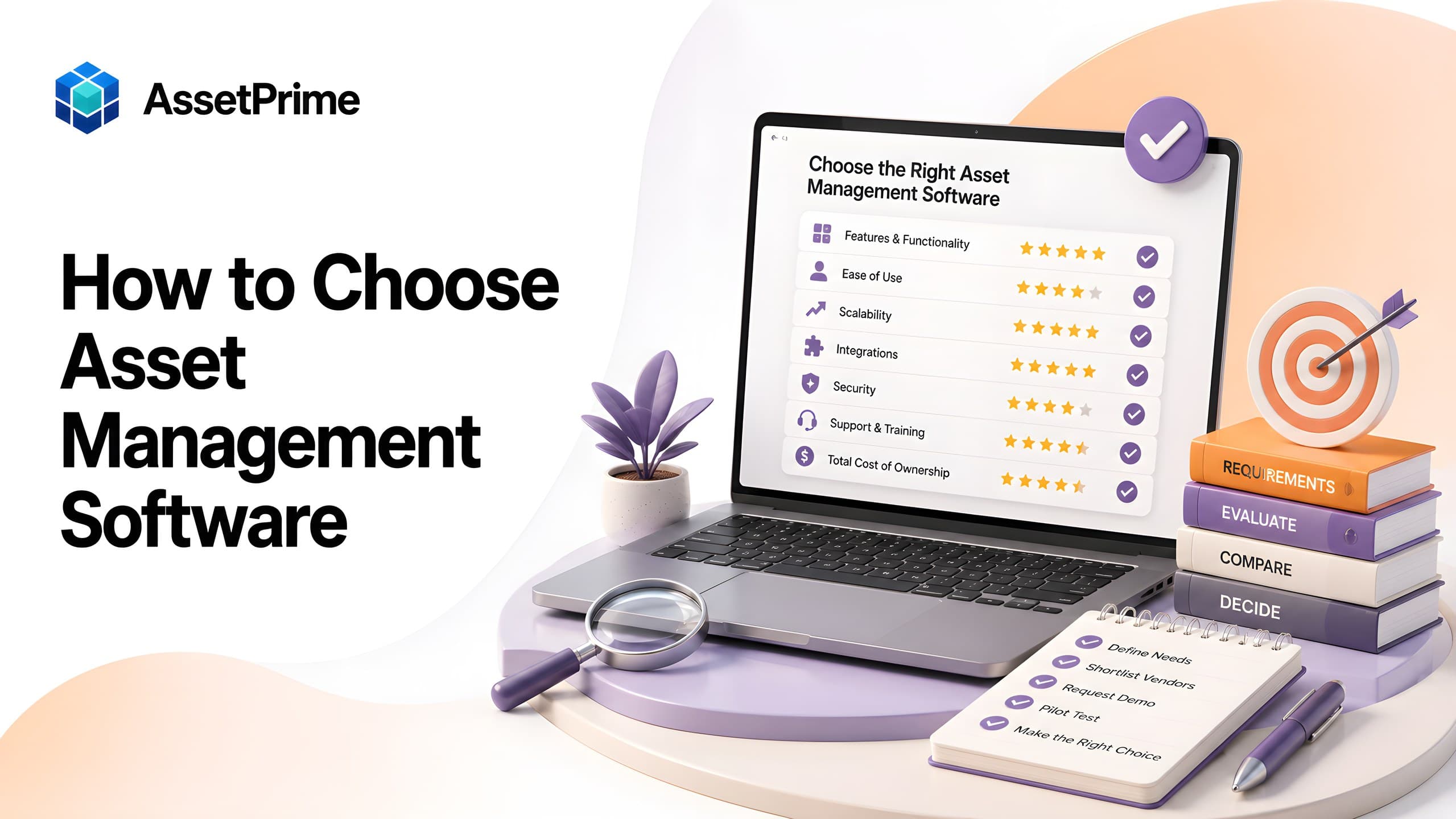
How to choose asset management software: start with the business problem
Choosing asset management software should begin with the operational problems the organization needs to solve, not with a long feature checklist. The most useful starting questions are simple: Do teams know what assets exist, where they are, who is responsible, what condition they are in, and what action is due next?
Common warning signs include duplicated purchases, missing equipment, unreliable spreadsheets, slow audits, unclear ownership, overdue maintenance, expired warranty or insurance, inconsistent branch records, and reports that require manual consolidation. These problems reveal which capabilities matter most.
Document the current process from procurement and receiving through registration, assignment, movement, maintenance, verification, depreciation, and disposal. Note where information is re-entered, where approvals are informal, and where history is lost. This process map becomes the foundation for evaluating software.
A good buying decision connects each requirement to a measurable result. Examples include reducing audit time, improving asset accountability, lowering duplicate purchases, increasing preventive maintenance completion, or creating one reliable register across all locations.
Ready to compare vendors?
Download the 40-point software requirements checklist
This buyer's guide explains how to choose software. Use the separate requirements checklist to record must-haves, test vendor claims, and compare quotations with a printable worksheet.
View the requirements checklist and download the PDF →“You cannot control assets clearly when ownership, location, maintenance, and audit history live in separate files.”
Build a cross-functional evaluation team
Asset management affects more than one department. Finance may focus on capitalization and depreciation, operations on location and utilization, IT on assignments and device history, maintenance on service planning, procurement on receiving, and management on reporting and risk.
Create a small evaluation team with representatives from the functions that will use or depend on the system. Include the eventual system owner and at least one day-to-day user. This prevents the selection from being driven by one department while ignoring operational realities elsewhere.
Agree on decision rights early. Define who owns requirements, who validates security and infrastructure, who approves budget, and who signs off after the pilot. A clear governance structure keeps demonstrations and vendor discussions focused.
What strong asset control should make visible
- ✓Where each asset is located today.
- ✓Who is responsible for the asset.
- ✓When it was purchased, moved, maintained, or disposed.
- ✓Which records are ready for audit, reporting, and decision-making.
Define your asset scope before comparing products
List the asset types the system must manage. This may include laptops, servers, biomedical equipment, machinery, furniture, tools, vehicles, printers, facility equipment, warehouse devices, and low-value controlled items.
Determine which items require individual serialized records and which are better managed as bulk stock. A laptop needs a unique identity, assignment history, serial number, warranty, and movement trail. A box of identical chairs or accessories may need quantity control by location until individual tracking becomes necessary.
Estimate current and future volumes: number of assets, branches, locations, users, transactions, documents, and expected growth. Software that works for a few hundred records may not remain responsive or manageable at enterprise scale.
Also define regional, legal, or industry-specific needs such as audit frequency, calibration, maintenance evidence, data residency, language, tax treatment, or approval controls.
Prioritize requirements using must-have, should-have, and future categories
Separate requirements into three groups. Must-have capabilities are necessary for the initial rollout. Should-have capabilities improve value but are not critical on day one. Future capabilities may become important as the organization matures.
This method avoids two common mistakes: selecting a basic product that cannot grow, or buying an overly complex platform because it has features that will never be used.
Assign each requirement a business owner, priority, and acceptance test. For example, “multi-location support” is vague. A better requirement is: “The system must track assets by branch, building, floor, department, and room, and restrict local users to authorized locations.”
Use the same scored requirement list for every vendor. Consistent evaluation makes comparisons more objective and reduces the influence of polished demonstrations.
Evaluate the quality of the asset register
The asset register is the core of the system. It should support unique asset codes, categories, serial numbers, model details, purchase data, supplier, cost, branch, exact location, department, custodian, condition, status, documents, and lifecycle history.
Check whether fields can be configured without creating uncontrolled complexity. Organizations often need custom fields for calibration, criticality, funding source, project code, regulatory class, or internal classification.
The system should distinguish current data from history. A location field alone is not enough; users should be able to see where an asset moved, when it moved, why it moved, and who completed the transaction.
Ask how duplicates are prevented, how data is validated, and how mandatory fields are enforced. Register quality determines the reliability of every downstream report.
Check barcode and QR code capabilities
Barcode and QR code support can make receiving, tagging, lookup, transfer, assignment, maintenance, and physical verification faster and more accurate.
Confirm whether the platform can generate labels, work with existing label formats, scan through mobile devices or supported scanners, and open the correct asset record immediately. Ask whether scanning works during audits and whether results can be reconciled against expected locations.
Evaluate label governance as well as scanning. The software should help prevent duplicate tags, support reprinting with control, and preserve identity when an asset changes location or custodian.
Barcode features are most valuable when integrated into workflows, not added as a separate lookup tool.
Assess multi-branch and location management
Organizations with distributed operations need more than a single location field. The software should represent the structure used in real life: company, branch, building, floor, department, room, store, warehouse zone, service center, or another custom level.
Check whether assets can be transferred between locations through controlled workflows and whether the system maintains source, destination, date, requester, approver, transporter, and receiver where required.
Permissions should follow location scope. A branch user may need access only to local assets, while regional and head-office users require consolidated visibility.
Reports must remain accurate across the hierarchy. Users should be able to filter and summarize assets without manually combining separate spreadsheets.
Review assignment, custody, and return workflows
For employee-used or department-owned assets, accountability depends on clear assignment records. The software should show who received an asset, when it was issued, the condition at handover, expected return details, and the complete assignment history.
Check how transfers between employees are handled. The previous assignment should close correctly, and the new assignment should begin without deleting history.
Return workflows should capture condition, accessories, damage, missing items, and the next stock location. This is important during employee exit, device replacement, project completion, or interdepartmental transfer.
Look for reports on active assignments, overdue returns, unassigned assets, and repeated damage or loss.
Examine procurement, receiving, and capitalization support
A strong system can connect purchase information to the physical asset record. Evaluate whether it supports vendors, purchase orders or references, receiving dates, invoices, quantities, values, and the creation of serialized assets from received items.
The receiving process should reduce duplicate data entry and preserve traceability from purchase to asset. This helps finance, procurement, and operations work from the same information.
If capitalization is required, confirm how capitalization dates, asset classes, useful lives, residual values, and cost components are handled. The system should support your accounting policy rather than forcing a generic workflow.
Ask how partial receipts, cancelled items, damaged deliveries, and returns to supplier are recorded.
Evaluate maintenance and service management
For equipment that requires service, maintenance capability can be as important as location tracking. Review preventive schedules, corrective maintenance, work history, downtime, service provider details, spare parts, cost, documents, and status.
The system should make overdue and upcoming work visible. Dashboards and reports should help teams prioritize actions rather than relying on memory or calendar notes.
Check whether maintenance is connected to the asset record and whether users can see service history during audits, replacement planning, warranty claims, or incident investigation.
For critical assets, evaluate approval workflows, escalation, and the ability to distinguish planned maintenance from breakdown repairs.
Check warranty, AMC, insurance, and contract tracking
Coverage information is often scattered across invoices, emails, and files. Suitable software should record warranty periods, annual maintenance contracts, insurance policies, suppliers, providers, costs, documents, and renewal dates.
Ask how expiry alerts work, who receives them, and whether users can filter items expiring in 30, 60, or 90 days. Alerts should be configurable and supported by reports so that actions do not depend on one notification.
Coverage should be linked to the correct asset or group of assets. The history should remain available after renewal so users can review past providers, costs, and periods.
This capability helps reduce missed renewals, unsupported equipment, and uninsured operational risk.
Review depreciation and financial reporting needs
If depreciation is in scope, define the required methods, useful-life rules, residual value handling, capitalization dates, opening accumulated depreciation, adjustments, and disposal treatment.
Confirm that calculations can be reviewed at asset level and summarized by category, branch, department, cost center, or reporting period. Reports should clearly show original cost, accumulated depreciation, current-period depreciation, and net book value.
Ask how the system handles transfers, additions to asset cost, impairment or adjustment entries, and disposed assets. Finance should validate the output before selection.
Asset software can support financial control, but configuration should follow the organization’s accounting policy and professional guidance.
Assess physical audit and verification features
Physical verification should be a controlled process rather than a manual comparison of printed sheets. Evaluate whether the platform can create audit sessions, define scope, scan assets, record condition, mark exceptions, and reconcile expected and observed results.
Useful exception categories include found, missing, moved, damaged, untagged, duplicate, and unknown. The system should preserve who verified each item and when.
Check whether audits can be performed by branch, location, category, department, custodian, or risk class. Large organizations may need phased audits rather than one annual exercise.
Good audit functionality reduces verification time and turns findings into follow-up actions.
Verify role-based access, approvals, and audit logs
Role-based access control should determine who can view, create, update, move, assign, maintain, dispose, export, or administer asset data.
Permissions may need to combine role and location. For example, a maintenance user may update service records but not purchase values, while a branch manager may approve transfers only within assigned locations.
Ask whether sensitive actions require approval and whether changes are recorded in an audit log. The log should identify the user, action, date, affected record, and relevant before-and-after information.
Security should be evaluated through actual scenarios, not only a general claim that the system has roles.
Consider deployment, security, and data ownership
Decide whether cloud, on-premise, or a flexible deployment model is appropriate. Consider internal IT capability, data residency, remote access, backup, upgrades, security policy, and total operating responsibility.
Review authentication, password policy, encryption, session controls, backups, disaster recovery, vulnerability management, access logging, and data export options. Ask vendors to explain responsibilities clearly.
Confirm who owns the data and how it can be retrieved if the contract ends. The organization should be able to export core records and history in usable formats.
For enterprise or regulated environments, involve information security and legal teams before final approval.
Evaluate integrations, imports, exports, and APIs
Asset management rarely operates in isolation. Potential integrations include ERP, accounting, HR, identity management, procurement, service desk, mobile applications, and reporting platforms.
Define which integrations are required immediately and which can be phased. Ask whether the vendor provides documented APIs, standard connectors, webhooks, scheduled imports, or only custom development.
Import capability is critical for migration. Test real sample files, including invalid rows, duplicates, missing fields, and large datasets. The system should provide clear error messages and allow correction without losing successful records.
Exports should preserve useful structure and respect access permissions. Avoid platforms that make it difficult to retrieve your own operational data.
Test reporting, dashboards, and decision support
Reports should answer practical questions: What assets do we own? Where are they? Who holds them? Which assets moved? What maintenance is overdue? What coverage is expiring? What is the current book value? Which assets are missing or idle?
Check filtering, sorting, export, saved views, date ranges, branch restrictions, and performance with realistic data volumes. A report that works only in a small demonstration may become slow in production.
Dashboards should highlight actions and exceptions, not simply display decorative charts. Evaluate whether managers can move from a summary to the underlying records.
Ask each department to identify the reports required for weekly, monthly, audit, and management review.
Compare usability, mobile access, and adoption risk
Powerful software has little value if users avoid it. During demonstrations, ask ordinary users to complete common tasks such as finding an asset, transferring it, assigning it, recording maintenance, and running a report.
The interface should be clear, consistent, and responsive. Mobile access is useful for scanning, verification, movement, and field maintenance, but it should follow the same permission model as desktop access.
Evaluate training requirements, help content, data-entry effort, and the number of steps in frequent workflows. Small usability problems become significant when repeated across thousands of transactions.
Adoption risk should be part of the score. A slightly less feature-rich system may deliver more value if it is easier to use correctly.
Understand pricing and total cost of ownership
Compare more than the initial license price. Total cost may include subscription or license fees, annual renewal, hosting, implementation, migration, customization, integrations, training, support, barcode labels, scanners, mobile devices, and internal administration.
Clarify limits on users, assets, branches, storage, API calls, reports, and support. Ask how costs change as the organization grows.
Compare cloud and on-premise options on a consistent basis. On-premise deployment may require servers, backups, security, and upgrade responsibility, while cloud pricing may include some of these services.
Evaluate expected value as well as cost. Better visibility, faster audits, fewer duplicate purchases, improved maintenance, and stronger accountability can justify investment when the system is properly implemented.
Run structured demonstrations and a real pilot
Provide vendors with your scenarios instead of accepting a generic presentation. Ask them to demonstrate receiving, tagging, assignment, transfer, maintenance, audit, depreciation, reporting, and permissions using your terminology.
Use a scorecard completed by all evaluators immediately after each session. Record evidence, gaps, workarounds, and questions that require written confirmation.
Before final commitment, run a pilot with representative data, users, and workflows. Include at least one complex branch or asset category and test performance, permissions, reports, imports, and support response.
A successful pilot should have measurable acceptance criteria and a clear decision at the end.
Check vendor capability, support, and implementation approach
The product matters, but implementation and support often determine success. Review the vendor’s experience with similar industries, asset volumes, branch structures, and deployment environments.
Ask who will lead implementation, how data migration is handled, what training is included, how issues are prioritized, and what support channels and response times apply.
Request a clear implementation plan covering discovery, configuration, migration, pilot, training, rollout, and post-launch review. Avoid vague promises that everything can be customized later.
Assess product direction and upgrade practices. The system should continue improving without creating repeated disruption or forcing unnecessary architectural changes.
Common mistakes to avoid when selecting software
Do not choose software only because it has the lowest price or the longest feature list. The right system must fit your workflows, controls, scale, users, and reporting needs.
Do not rely on screenshots or a scripted demonstration. Test real scenarios and sample data. Verify permissions, history, reports, and exception handling.
Do not postpone data-cleaning decisions until implementation. Poor categories, duplicated records, and inconsistent locations can undermine even a strong platform.
Do not ignore ownership after launch. Assign a product owner, define data responsibilities, review exceptions, and maintain asset policy. Software cannot replace governance.
A practical asset management software evaluation checklist
Confirm that the product supports your asset types, serialized and bulk tracking, unique asset identity, barcode or QR workflows, multi-branch locations, assignment, movement history, maintenance, coverage, depreciation, audits, documents, reports, and role-based access.
Validate deployment, security, backups, data ownership, imports, exports, APIs, mobile access, performance, support, implementation, and pricing. Require evidence for every critical requirement.
Ask each stakeholder to sign off on the final scorecard and pilot results. Record accepted limitations and any commitments in the contract or statement of work.
Choose the platform that provides the best overall operational fit and long-term control, not simply the most impressive demonstration.
How AssetPrime supports software selection requirements
AssetPrime supports structured asset registration, barcode tracking, bulk and serialized assets, multi-branch operations, hierarchical locations, assignments, movements, procurement, maintenance, warranty, AMC, insurance, depreciation, documents, audit logs, and enterprise reporting.
LocationScope permissions help organizations restrict users to authorized branches and locations while maintaining consolidated visibility for central teams. Asset history connects operational events such as receiving, movement, assignment, maintenance, coverage, and depreciation.
The platform is designed for organizations that need an operational asset control system rather than a simple list. It can support phased implementation beginning with the asset register and expanding into lifecycle, maintenance, audit, and reporting workflows.
Organizations evaluating AssetPrime can map their requirements to a focused demonstration and pilot using representative branches, asset categories, users, and reports.
Final thoughts
Choosing asset management software is a business-process decision supported by technology. The best platform is the one that creates reliable asset data, fits daily workflows, enforces appropriate controls, and remains usable as the organization grows.
A disciplined selection process includes clear problems, cross-functional requirements, structured demonstrations, realistic testing, security review, total-cost analysis, and a pilot with measurable acceptance criteria.
When software, policy, data quality, and ownership are aligned, organizations gain better visibility, stronger accountability, faster audits, improved maintenance, and more confident lifecycle decisions.
Related AssetPrime Pages
Continue with related pages
Explore connected features, guides, solutions, and industry pages that support this topic.
FAQ
Frequently asked questions
What should I look for in asset management software?
Look for a reliable asset register, barcode or QR tracking, multi-location control, assignments, movement history, maintenance, warranty and contract tracking, depreciation, physical audits, reports, role-based access, imports, security, and scalability.
How do I compare different asset management systems?
Use one scored requirements matrix for every vendor, require demonstrations based on your workflows, test representative data, evaluate total cost, and run a pilot with clear acceptance criteria.
Is cloud or on-premise asset management software better?
Neither model is universally better. Cloud can simplify access and infrastructure, while on-premise may suit organizations with specific control or residency requirements. Compare security, responsibility, cost, upgrades, backups, and internal capability.
Should asset management software support both bulk and serialized assets?
Yes, when your organization manages both quantity-based stock and individually controlled assets. The system should support each model without forcing all items into one structure.
Why is barcode tracking important when choosing software?
Barcode or QR workflows improve identification, receiving, movement, assignment, maintenance, and physical verification while reducing manual entry and duplicate records.
How important is role-based access control?
It is essential for controlling who can view or change asset, financial, maintenance, and audit information. Permissions may also need to follow branches, departments, or locations.
What reports should asset management software provide?
Key reports include asset register, stock position, assignments, movements, maintenance, warranty, AMC, insurance, procurement, depreciation, disposal, physical verification, and audit activity.
How long should an asset management software pilot run?
The duration depends on scope, but it should be long enough to test representative workflows, users, data volumes, permissions, reports, migration, and vendor support rather than only a few scripted transactions.
What are common mistakes when buying asset software?
Common mistakes include choosing only by price, relying on generic demos, ignoring data quality, underestimating implementation, overlooking permissions and history, and failing to assign ownership after launch.
How does AssetPrime help organizations choose and implement asset management software?
AssetPrime can be evaluated against structured requirements for registration, barcode tracking, branches, locations, assignments, movements, maintenance, coverage, depreciation, audits, documents, permissions, and reports through a focused demonstration and pilot.
Continue Reading
Related articles
Asset Management
Asset Receiving Process and Checklist: From Delivery to Asset Register
Read Article →
Asset Management
What Is Asset Management Software? A Complete Guide for Modern Organizations
Read Article →
Asset Tracking
Asset Tracking vs Inventory Management: Key Differences for Modern Businesses
Read Article →