
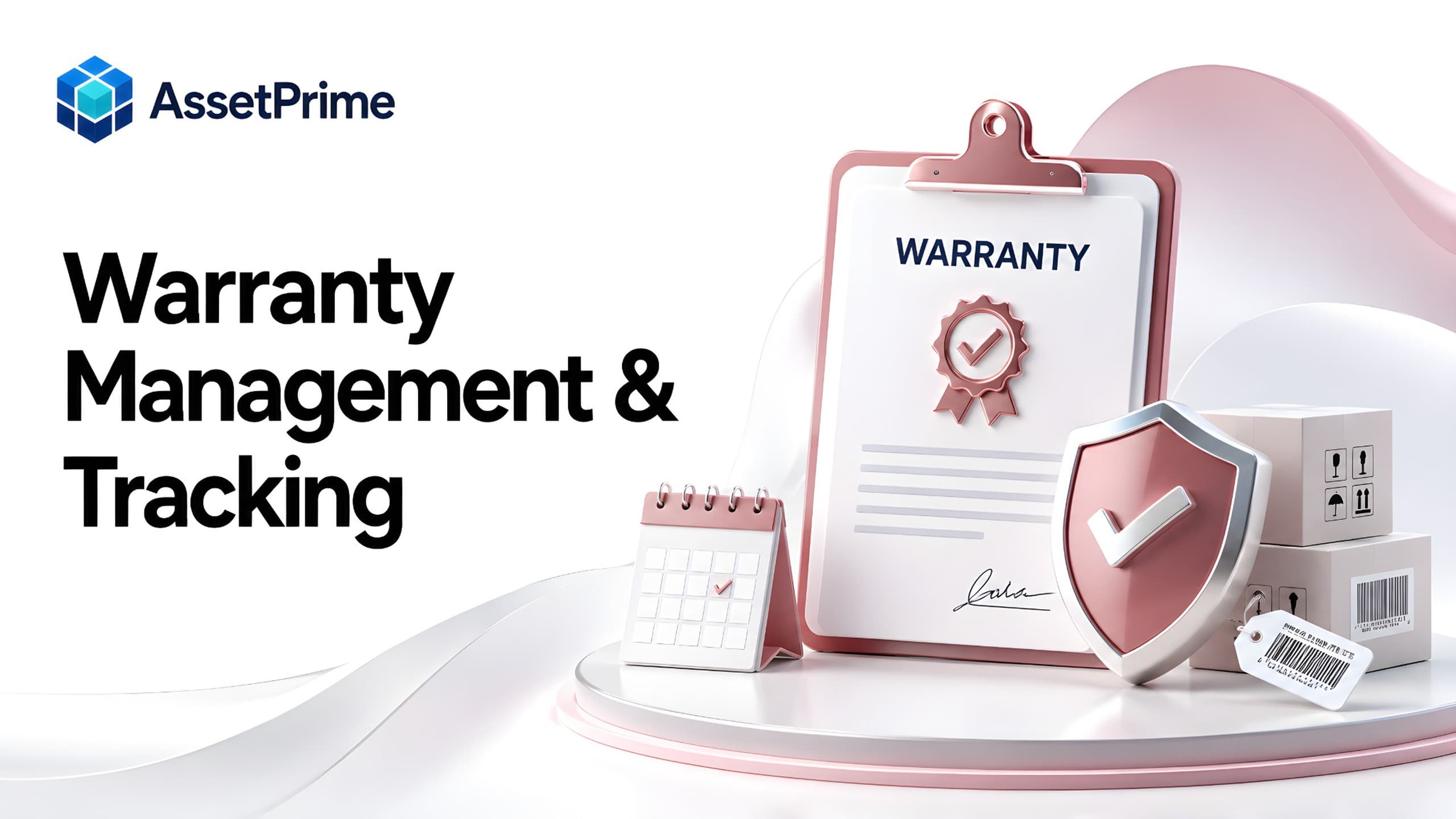
What is warranty management?
Warranty management is the process of recording, monitoring, and controlling warranty coverage for business assets and equipment throughout their useful life. It helps an organization know which assets are covered, who provides the warranty, when coverage starts and ends, what documents support the warranty, and what action should be taken before or after expiry.
For asset-intensive organizations, warranty management is more than storing an expiry date. A useful process connects warranty information to the exact asset, purchase record, serial number, supplier, maintenance history, documents, and lifecycle status so teams can make informed repair, renewal, and replacement decisions.
Without structured warranty tracking, coverage information often becomes scattered across invoices, emails, spreadsheets, purchase files, and individual employees. The result is avoidable repair spending, missed claims, expired coverage, and time lost searching for proof of purchase or warranty terms.
A centralized warranty management system gives operations, IT, maintenance, procurement, finance, and asset teams a shared view of coverage and upcoming expiry risk.
“You cannot control assets clearly when ownership, location, maintenance, and audit history live in separate files.”
Why warranty tracking matters for business assets
Organizations may own hundreds or thousands of laptops, machinery, medical devices, office equipment, electrical systems, tools, appliances, and other assets with different warranty periods. Tracking these dates manually becomes difficult as asset volume and locations grow.
Warranty tracking helps teams identify covered equipment before approving a paid repair. It also provides time to review assets approaching expiry and decide whether extended coverage, an AMC, replacement, or no further coverage is appropriate.
The financial value can be significant. A repair that appears to be an operating expense may actually be covered by the manufacturer or supplier. If the warranty record is not visible at the point of maintenance, the organization can pay unnecessarily.
Good tracking also improves accountability because warranty terms, documents, providers, dates, and related actions remain connected to the asset instead of depending on someone's memory.
What strong asset control should make visible
- ✓Where each asset is located today.
- ✓Who is responsible for the asset.
- ✓When it was purchased, moved, maintained, or disposed.
- ✓Which records are ready for audit, reporting, and decision-making.
Warranty management vs warranty tracking
Warranty tracking is usually the monitoring component: recording coverage dates, providers, documents, and expiry status for each asset. Warranty management is broader and includes the decisions and workflows that use this information.
For example, tracking tells a maintenance team that a machine is covered until December. Management determines whether a breakdown should be raised with the warranty provider, whether the repair qualifies, which documents are required, and what should happen when the coverage expires.
In practice, businesses need both. Accurate tracking creates the data foundation, while management turns that data into timely operational action.
A mature process should therefore connect warranty records with maintenance, procurement, documents, notifications, reporting, and asset lifecycle decisions.
What information should a warranty record contain?
A warranty record should identify the covered asset clearly and include enough information for a team to verify coverage without searching through unrelated files.
Typical fields include the asset code, serial number, warranty provider, warranty type, start date, end date, coverage terms, purchase or invoice reference, supplier, contact details, warranty document, and notes about exclusions or service conditions.
Organizations may also record claim references, service requests, replacement details, extension history, contract value, and the person or team responsible for follow-up.
The exact fields depend on the equipment and industry, but the objective is consistent: when a warranty question arises, the asset record should provide a reliable starting point.
Connect warranty coverage to the asset register
Warranty information is most useful when it is part of the asset record rather than a separate spreadsheet. The asset register already contains the identity, location, category, purchase details, condition, and lifecycle status of the equipment.
Connecting warranty to that record means a user can move from the asset to its coverage without matching serial numbers across different files. It also reduces duplicate data entry and the risk that warranty information remains attached to an outdated asset name or location.
For serialized assets, each physical unit should have its own coverage record when warranty dates or terms can differ. Bulk items can be handled differently when coverage genuinely applies to a common purchase or batch.
This relationship becomes especially important when assets move between branches or employees because the warranty remains attached to the asset regardless of its current location.
Track warranty start dates and expiry dates accurately
Warranty periods may begin on the purchase date, invoice date, installation date, commissioning date, delivery date, or another contractual milestone. Teams should record the correct basis rather than assuming every warranty begins when an asset is entered into the system.
The end date should be stored as a structured date so the system can calculate remaining coverage and identify upcoming expiries. Free-text notes alone are difficult to report on and easy to overlook.
When a supplier replaces an asset or extends coverage after a service event, the warranty record should be updated without losing the supporting evidence for the change.
Accurate dates are the foundation for useful expiry dashboards, notifications, reports, and renewal planning.
Use warranty expiry alerts before coverage lapses
Expiry alerts convert warranty data into action. Instead of discovering that coverage ended after a breakdown, teams can review assets before the expiry date.
A practical process may surface warranties expiring within 30 days, 7 days, or on the current day. The right notification window depends on how long the organization needs to evaluate renewal, replacement, inspection, or vendor action.
Alerts should lead to a decision rather than simply generate more notifications. Teams may renew coverage, move the asset to an AMC, schedule a pre-expiry inspection, replace the equipment, or intentionally allow the warranty to end.
For large asset estates, an expiry report or attention dashboard is often more manageable than relying only on individual email reminders.
Manage warranty documents and proof of purchase
Warranty claims often depend on documents. Invoices, purchase orders, warranty certificates, serial-number evidence, installation reports, service records, and correspondence may all be required.
Keeping these documents against the relevant asset or coverage record reduces the time spent searching shared drives and email threads when a failure occurs.
Document control is particularly useful when the employee who purchased the equipment is no longer responsible for it. The organization retains the evidence even when people, departments, or locations change.
For auditability, important documents should remain linked to the record and access should follow appropriate user permissions.
Warranty claims and repair workflows
When an asset fails, the first maintenance decision should include a coverage check. If an active warranty applies, the team can contact the provider before authorizing an external paid repair that could affect claim eligibility.
The maintenance record should capture the issue, date, status, provider or technician, work performed, cost where applicable, downtime, and supporting documents. The warranty record provides the coverage context for that event.
If a warranty claim results in repair, part replacement, or complete asset replacement, the outcome should be reflected in the asset history. A replacement unit may require a new serial number, asset identity, or revised warranty period depending on the provider's terms.
Connecting claims and repairs creates a clearer lifecycle history than managing warranty and maintenance as unrelated processes.
Warranty vs AMC: what is the difference?
A warranty is typically coverage provided by a manufacturer or seller for defects or specified failures during a defined period. An annual maintenance contract, or AMC, is a service agreement that may cover preventive maintenance, repairs, labor, parts, or other services according to the contract.
The two can overlap in time or follow one another. A new machine may begin with manufacturer warranty and later move to an AMC after the warranty expires. Some organizations may also purchase extended warranty coverage instead of, or alongside, an AMC.
Because the terms are different, warranty and AMC records should be distinguishable while remaining visible from the same asset lifecycle.
This helps teams understand what coverage exists today, what it includes, who provides it, and what renewal decision is approaching.
Warranty vs insurance coverage
Warranty and insurance address different risks. Warranty commonly covers defects or specified product failures, while insurance may cover risks such as accidental damage, theft, fire, or other insured events depending on the policy.
An asset can therefore have active warranty and insurance at the same time. The maintenance or asset team needs to know which coverage is relevant to a particular incident.
Keeping warranty, AMC, and insurance records separately structured but connected to the asset reduces confusion and makes expiry planning easier.
Coverage terms should always be reviewed before assuming a repair or loss is eligible, because exclusions and claim conditions vary by provider and contract.
Warranty management for multi-branch organizations
Multi-branch organizations face an additional challenge: assets may be purchased centrally, deployed to different sites, transferred later, and serviced by regional vendors.
Warranty coverage should follow the asset rather than remain trapped in the records of the branch that originally purchased it. A centralized system can preserve the provider, documents, and dates even when the current location changes.
Location-based permissions can still restrict which users see or manage assets while management receives consolidated expiry and coverage reports across the organization.
This is especially useful for companies with offices, warehouses, factories, hospitals, stores, or facilities distributed across multiple cities or regions.
Warranty tracking for IT assets and electronics
Laptops, desktops, servers, printers, network equipment, scanners, mobile devices, and other electronics often have manufacturer warranties that are important to IT support decisions.
IT teams should connect the device serial number, purchase information, assigned employee or location, warranty dates, provider, documents, and repair history in one record.
Before a laptop or server is sent for paid repair, the team can verify whether manufacturer coverage is still active. Devices nearing warranty expiry can also be reviewed as part of replacement or extended-support planning.
For employee-assigned equipment, the warranty should remain attached to the device even when the employee changes.
Warranty management for machinery and equipment
Industrial machinery, production equipment, facility systems, and specialized tools may have warranties linked to installation, commissioning, operating conditions, or approved maintenance practices.
For these assets, warranty management should be closely coordinated with maintenance history because missed preventive service or unauthorized repair can sometimes affect coverage terms.
Teams should retain commissioning documents, service reports, provider correspondence, and relevant maintenance evidence with the asset record.
As warranty expiry approaches, reliability and repair history can help determine whether the organization should purchase an AMC, negotiate extended coverage, or plan replacement.
How warranty data improves maintenance decisions
Maintenance teams make better decisions when coverage status is visible before work begins. An active warranty can change which vendor is contacted, whether internal technicians should intervene, and who should bear the repair cost.
Historical data also helps distinguish between isolated failures and recurring problems. If an asset repeatedly fails during warranty, the organization may have evidence to escalate with the supplier or reconsider the product during future procurement.
After warranty expiry, maintenance cost and downtime become important inputs for repair-versus-replace decisions.
The strongest asset lifecycle view therefore combines warranty status, maintenance events, costs, condition, age, and operational importance.
Use warranty history to improve procurement
Warranty data is not only useful after purchase. Over time, it can inform future vendor and product selection.
Procurement teams can review whether particular equipment categories experience frequent warranty claims, whether providers respond effectively, and whether extended coverage delivers practical value.
This context can support better specifications and contract negotiations. A lower purchase price may not be the best value if the equipment has repeated failures or weak support terms.
Connecting procurement, warranty, maintenance, and lifecycle history gives organizations a stronger basis for total-cost decisions.
Warranty reports and dashboards businesses should use
Useful warranty reporting should answer clear operational questions: which assets are currently covered, which warranties expire soon, which providers cover the most assets, and which branches or categories have upcoming expiry exposure.
Teams may also need reports for expired warranties, assets without warranty information, warranty value, provider, category, location, or renewal status.
A dashboard can highlight near-term expiries alongside other attention items such as overdue maintenance or expiring AMCs. This gives managers a practical action list rather than a static database.
Reports should be filterable and exportable so finance, procurement, maintenance, IT, and auditors can use the information for their own reviews.
Warranty tracking in Excel vs warranty management software
Excel can track warranty dates for a small number of assets, particularly when one person maintains the file and coverage rarely changes. Its limitations become clearer when many users, branches, documents, repairs, and lifecycle events are involved.
A spreadsheet can store an expiry date, but it does not naturally connect that date to controlled maintenance workflows, asset movements, assignment history, role-based access, documents, audit logs, and automated attention views.
Dedicated warranty management software can keep coverage attached to the operational asset record and make expiry information available wherever maintenance or lifecycle decisions occur.
Excel can still remain useful for importing legacy records, exporting reports, and performing additional analysis.
How to choose warranty management software
Start with the real workflow rather than a feature checklist. Identify how warranties enter the organization, who records them, who needs expiry visibility, how claims are handled, and how warranty interacts with maintenance and procurement.
Evaluate whether the system can link coverage to individual assets, store provider and document details, track start and end dates, surface upcoming expiries, preserve history, and report across locations and categories.
For larger organizations, also review role-based permissions, multi-branch access, search, bulk operations, imports, exports, audit logs, backups, deployment options, and performance.
During a demonstration, test a complete scenario: register an asset, add warranty, attach evidence, view an upcoming expiry, record a repair, update the coverage outcome, and review the resulting history and reports.
How AssetPrime supports warranty management
AssetPrime helps organizations connect warranty information with the assets it covers, keeping provider, dates, documents, and coverage context within the broader asset lifecycle.
The same asset can also carry procurement details, branch and hierarchical location, employee assignment, movement history, maintenance, AMC, insurance, depreciation, documents, lifecycle status, audit history, and reporting information.
Expiry visibility helps teams identify coverage approaching its end so they can review renewal, maintenance, replacement, or other follow-up before the date is missed.
Organizations evaluating AssetPrime should test warranty workflows using their own asset categories, coverage terms, locations, and approval responsibilities so the process reflects their actual operations.
Warranty management best practices
Record warranty information when the asset is received or registered rather than waiting until a repair occurs. Standardize provider names, coverage types, date rules, and document requirements so reports remain reliable.
Make the asset serial number and unique asset identity part of the warranty process. Keep invoices, certificates, and relevant service evidence connected to the record.
Review upcoming expiries routinely and assign responsibility for deciding whether to renew, move to AMC, replace, inspect, or allow coverage to end. Record the decision so the next team does not have to reconstruct it.
Finally, use warranty information together with maintenance and procurement history. Coverage data becomes far more valuable when it contributes to operational and purchasing decisions rather than existing only as an expiry list.
Final warranty tracking checklist
Every covered asset should have a reliable identity, provider, start date, end date, coverage type, supporting documents, and responsible follow-up process.
Teams should be able to see active, expiring, and expired warranties without manually checking individual records. Maintenance staff should verify coverage before approving paid repairs.
Warranty, AMC, insurance, maintenance, procurement, and lifecycle information should remain distinguishable but connected around the same asset.
A good warranty management process ultimately answers four questions quickly: Is this asset covered? What does the coverage include? When does it expire? What action should we take next?
Related AssetPrime Pages
Continue with related pages
Explore connected features, guides, solutions, and industry pages that support this topic.
FAQ
Frequently asked questions
What is warranty management?
Warranty management is the process of recording and controlling warranty coverage for assets, including providers, start and end dates, terms, documents, expiry monitoring, claims, and related lifecycle decisions.
What is warranty tracking software?
Warranty tracking software helps organizations maintain warranty records against assets and monitor coverage status and expiry dates. More complete systems also connect warranty with maintenance, documents, alerts, reports, and asset lifecycle history.
What information should be tracked for an asset warranty?
Common information includes the asset code, serial number, provider, warranty type, start date, end date, coverage terms, supplier or invoice reference, supporting documents, contact details, and notes about claims or extensions.
How can businesses avoid missing warranty expiry dates?
Store warranty end dates as structured data and use expiry reports, dashboards, or alerts to review coverage before it lapses. Organizations should also assign responsibility for renewal or replacement decisions.
What is the difference between warranty and AMC?
Warranty is generally manufacturer or seller coverage for specified defects or failures during a defined period. An AMC is a service agreement that may cover preventive maintenance, repairs, labor, parts, or other services according to contract terms.
Can an asset have warranty, AMC, and insurance at the same time?
Yes. These cover different risks or services and can overlap. They should be tracked separately but connected to the same asset so teams can identify the appropriate coverage for a repair, loss, or renewal decision.
Can warranty information be tracked in Excel?
Yes, Excel can work for small and simple warranty lists. Dedicated software becomes more useful when organizations need multi-user access, documents, expiry visibility, maintenance integration, multi-location reporting, permissions, and audit history.
How does warranty tracking reduce maintenance costs?
It helps maintenance teams verify active coverage before paying for repairs and provides the documents and provider details needed to pursue eligible warranty service. It also supports better repair-versus-replace decisions after coverage ends.
What reports are useful for warranty management?
Useful reports include active warranties, warranties expiring soon, expired coverage, assets without warranty data, coverage by provider, category or location, and warranty information connected with maintenance or renewal status.
How does AssetPrime support warranty management?
AssetPrime connects warranty records with asset identity and the wider lifecycle, including locations, assignments, movements, procurement, maintenance, AMC, insurance, depreciation, documents, audit history, and reporting.
Continue Reading
Related articles
Asset Management
What Is Asset Management Software? A Complete Guide for Modern Organizations
Read Article →
Asset Tracking
Asset Tracking vs Inventory Management: Key Differences for Modern Businesses
Read Article →
Barcode Tracking
How Barcode Asset Tracking Works: A Complete Guide for Modern Asset Operations
Read Article →