
01
Plan and procure
Maintain vendor, purchase and procurement context before equipment becomes part of the operational asset register.
Vendor and purchase recordsProcurement historyReceiving preparation
Explore this workflow →See how AssetPrime connects purchasing, receiving, registration, stock, assignment, movement, maintenance, coverage, verification, reporting, depreciation and final lifecycle history in one asset-management platform.
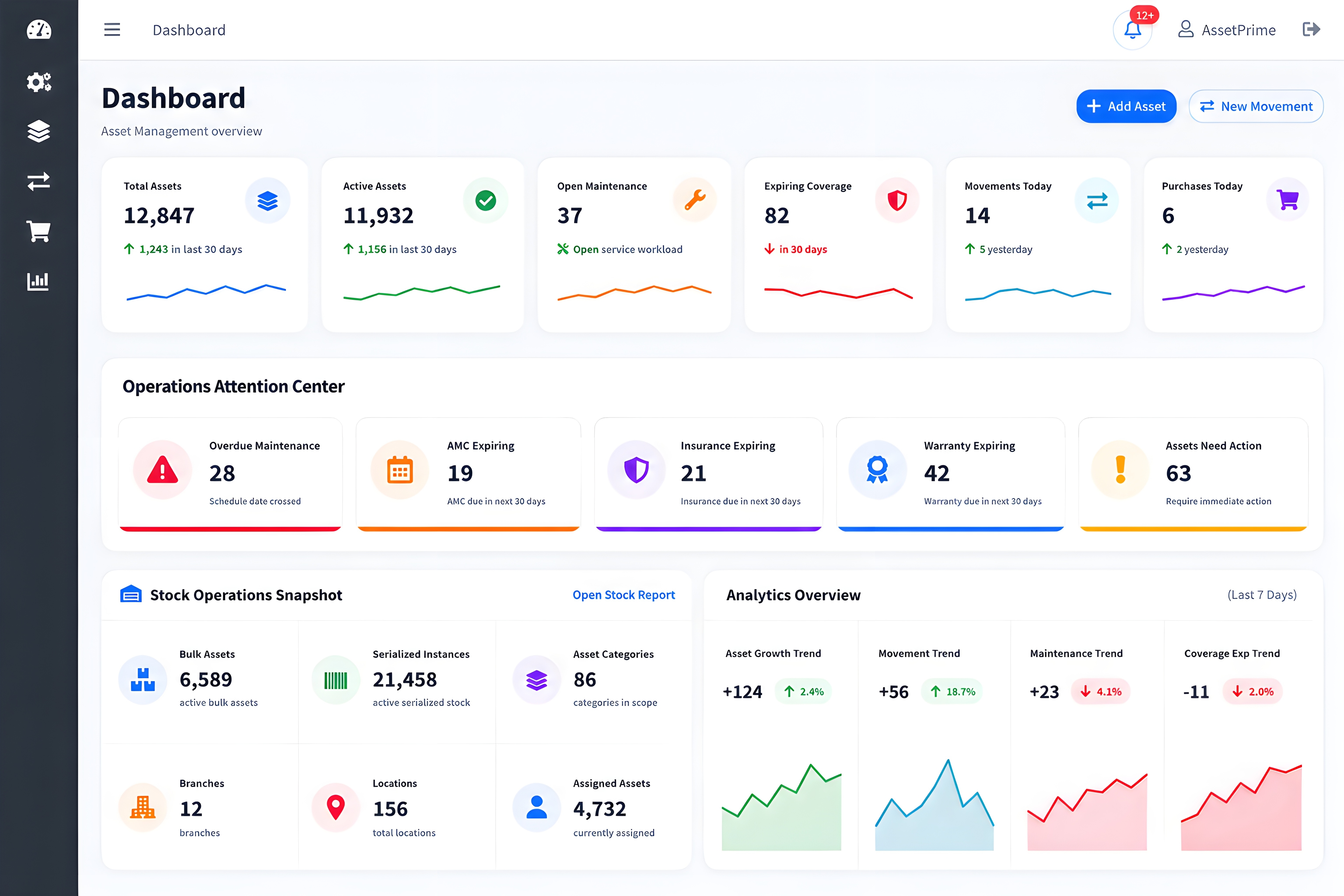
Lifecycle Walkthrough
Each stage adds useful context to the same asset record, helping authorized teams understand what the asset is, where it is, who holds it and what has happened to it.
Maintain vendor, purchase and procurement context before equipment becomes part of the operational asset register.
Record received assets, create serialized instances or quantity-based stock, and connect the information required for future control.
Use structured asset codes and barcode-based identification to find records and verify assets across branches and operational locations.
Connect individually tracked assets with employees, users, departments or responsible teams and retain assignment history.
Record internal transfers, service movement, returns and other location changes while preserving a traceable movement trail.
Keep maintenance activity and coverage information connected with the relevant asset instead of managing it in disconnected files.
Use searchable reports, exports, dashboards and activity history to review stock, movement, assignment, service and verification records.
Maintain value and final lifecycle context as assets move toward retirement, disposal, scrap, lost or destroyed status.
Inside AssetPrime
Select a workflow to see the current AssetPrime interface without leaving the product tour.
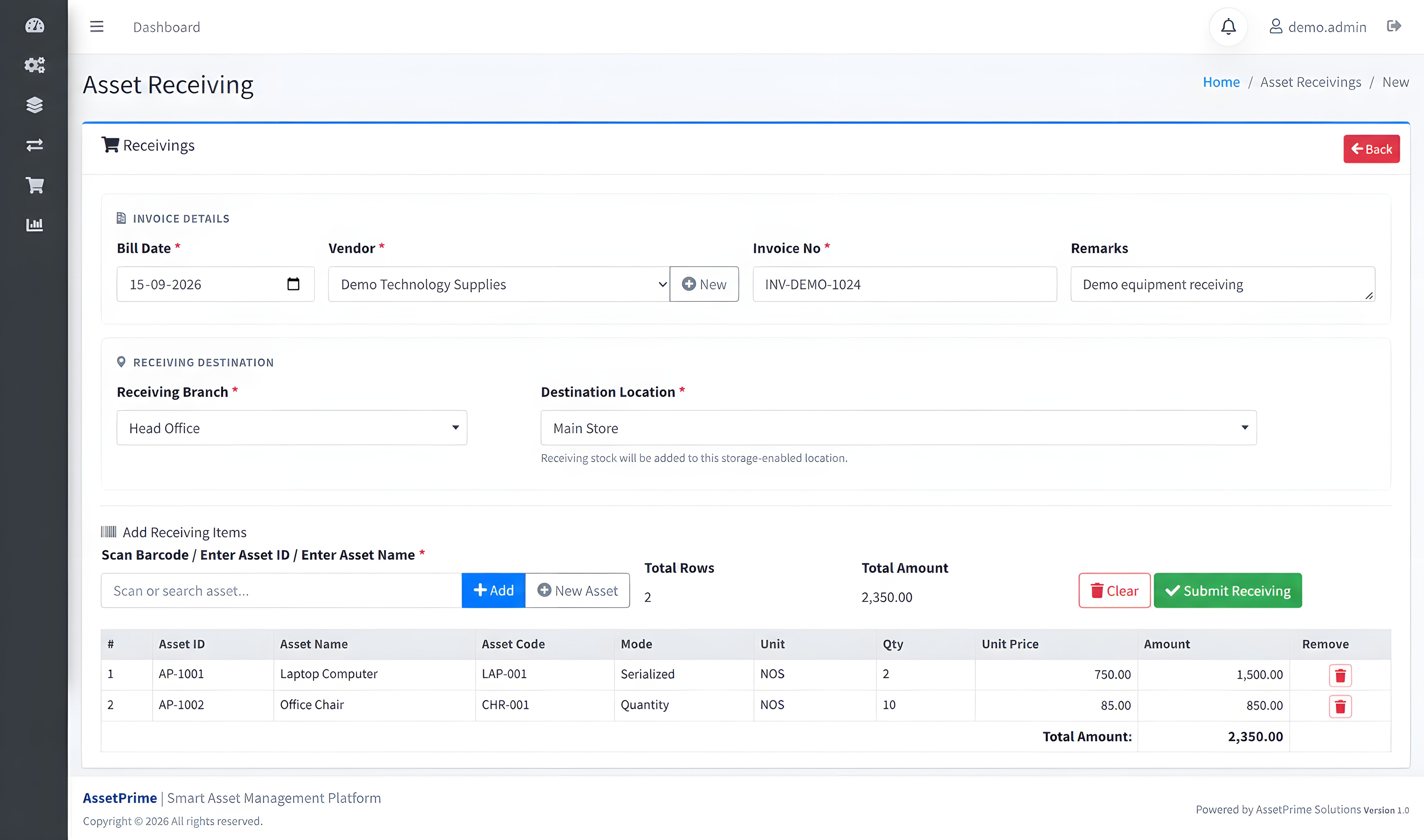
Procurement & Receiving
Record the supplier, invoice, receiving branch and destination before adding serialized or quantity-based items.
Access & Accountability
AssetPrime combines operational records with controlled access. Exact hosting, backup and data-management responsibilities depend on the selected deployment model.
Explore access control →Define access according to job responsibility and the modules each user needs.
Limit relevant users to authorized branches or operational locations.
Retain user activity and asset history to support accountability and review.
Discuss self-hosted deployment or an optional AssetPrime-managed cloud environment.
See Your Workflow
Share your asset types, locations, users and priority processes. The demonstration can focus on the AssetPrime workflows most relevant to your organization.
Frequently Asked Questions
This page follows the main AssetPrime workflow from procurement and receiving through registration, stock, identification, assignment, movement, maintenance, coverage, verification, reporting, depreciation and disposal.
Yes. AssetPrime supports individually identifiable serialized assets as well as quantity-based asset or stock records, including location-wise visibility.
Yes. AssetPrime records assignment, return and reassignment history, along with internal transfers, service movement, service returns and other supported lifecycle movements.
Yes. Organizations can request a remote demonstration focused on their asset types, locations, users, deployment preference and priority workflows.
AssetPrime can be discussed for on-premise or self-hosted deployment on customer-controlled infrastructure, or for an optional AssetPrime-managed cloud deployment.