
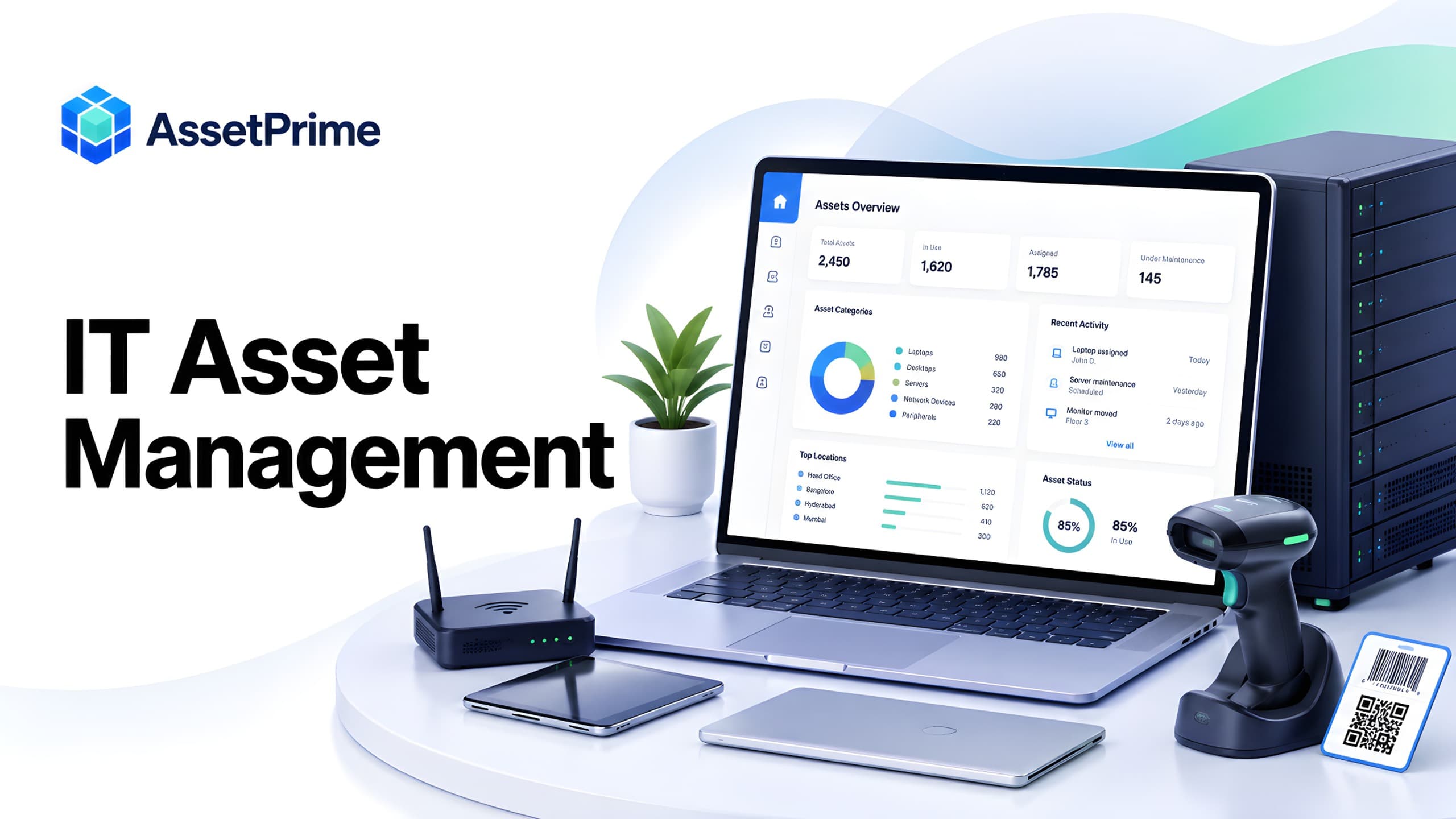
What is IT asset management?
IT asset management, often shortened to ITAM, is the structured process of identifying, recording, assigning, tracking, maintaining, auditing, and retiring the technology assets used by an organization.
Typical IT assets include laptops, desktops, servers, monitors, printers, network switches, routers, firewalls, UPS systems, mobile devices, barcode scanners, peripherals, and other equipment that needs ownership, location, accountability, maintenance, or lifecycle control.
A strong ITAM process connects the physical device with its asset record, current user or location, purchase history, warranty, maintenance, movements, documents, depreciation, and audit history.
The goal is not simply to keep an IT inventory. It is to maintain reliable lifecycle visibility so IT, finance, operations, and management can understand what equipment exists, where it is, who is responsible for it, what it costs, and what should happen next.
“You cannot control assets clearly when ownership, location, maintenance, and audit history live in separate files.”
Why IT asset management matters
Technology equipment moves frequently. Laptops are issued to employees, monitors move between desks, servers are replaced, network devices shift between sites, and hardware may be sent for repair or kept as standby stock.
Without a structured process, records quickly become outdated. IT teams may know that a device was purchased, but not who currently has it, whether it is still under warranty, whether it has been repaired before, or whether it was returned during offboarding.
ITAM improves accountability by connecting each asset with a current state and a history of changes. This reduces time spent searching for equipment and helps teams respond faster to audits, employee changes, maintenance needs, and replacement planning.
It also improves financial control because the organization can compare purchase value, age, depreciation, support coverage, maintenance cost, and lifecycle status against the same device record.
What strong asset control should make visible
- ✓Where each asset is located today.
- ✓Who is responsible for the asset.
- ✓When it was purchased, moved, maintained, or disposed.
- ✓Which records are ready for audit, reporting, and decision-making.
What counts as an IT asset?
Most organizations begin with end-user devices such as laptops, desktops, monitors, tablets, phones, printers, and accessories. Infrastructure assets may include servers, network switches, routers, access points, firewalls, storage devices, racks, UPS systems, and related equipment.
Specialized equipment can also belong in the IT asset register when it is owned or controlled by the IT function. Examples include barcode scanners, biometric devices, CCTV hardware, conference-room equipment, test devices, and technical tools.
Not every low-value accessory needs individual tracking. Serialized tracking is most useful for assets that have meaningful value, mobility, warranty, assignment, maintenance, security, audit, or lifecycle requirements.
A clear asset policy should define what receives a unique asset code and what can be managed as bulk stock or consumables.
IT asset management vs IT inventory management
IT inventory management often focuses on what equipment exists and how many items are available. IT asset management goes further by preserving the history and accountability of individual assets over time.
For example, an inventory list may show that the organization owns 100 laptops. ITAM should be able to show which employee has each laptop, where it is located, when it was purchased, its warranty status, service history, movement history, and lifecycle status.
Inventory remains useful for consumables, spare parts, cables, accessories, and bulk equipment. Asset management is more appropriate for serialized hardware where each physical unit needs its own identity and history.
Many organizations need both approaches within the same operating model.
Build a reliable IT asset register
The IT asset register is the foundation of the ITAM process. Each serialized device should have a unique asset code and enough information to identify it without ambiguity.
Useful fields include asset name, category, manufacturer, model, serial number, asset tag, barcode or QR code, branch, location, department, employee or custodian, purchase date, supplier, purchase value, condition, status, warranty, AMC, insurance, depreciation, and supporting documents.
For devices connected to users, the register should not simply overwrite the employee name when equipment changes hands. Assignment history should preserve who had the asset and when.
Standardized categories, status values, and location structures improve reporting and reduce duplicate or inconsistent records.
Track laptops and desktops across employees
Employee devices are one of the most common ITAM use cases. Laptops, desktops, monitors, docking stations, and other equipment may be issued during onboarding and returned, replaced, or reassigned later.
A structured assignment record should show the current custodian, issue date, condition, and return or reassignment history. This creates accountability without losing previous ownership context.
During offboarding, IT teams can review the equipment assigned to the employee and verify that required devices were returned before the account is closed.
Historical assignments are also useful during audits and investigations because they show how custody changed over time.
Manage IT assets across multiple offices and branches
Distributed organizations often manage devices across headquarters, regional offices, warehouses, remote employees, data rooms, and other locations.
A hierarchical location model helps represent this structure consistently. Assets can be associated with a branch, building, floor, department, room, rack, or other operational location.
Multi-location visibility allows central IT teams to see the complete estate while local users work within the locations relevant to their responsibility.
When equipment moves between branches, the system should update the current location while preserving transfer history.
Use barcode and QR codes for IT asset tracking
Barcode and QR labels provide a fast way to connect a physical device to its digital asset record. They are especially useful for audits, assignments, movements, maintenance, and verification.
Scanning the asset tag reduces manual typing and helps users select the correct record when several similar devices exist.
The label should identify the asset; the asset management system should hold the current state, location, custodian, maintenance history, and lifecycle information.
For IT environments, labels should be durable, professionally placed, and readable without covering serial numbers, ventilation, ports, or manufacturer information.
Track IT asset movements and transfers
IT equipment moves for many reasons: employee transfers, office relocations, temporary loans, repairs, replacements, upgrades, and inter-branch transfers.
A movement workflow should record the asset, source, destination, date, reason, and responsible user. This preserves a traceable history instead of simply changing the current location.
Movement history becomes valuable when a device cannot be found or when an auditor needs to understand how it moved between sites.
For sensitive or high-value hardware, approval or supporting documents may also be required as part of the movement process.
Manage maintenance and repair history
IT hardware often requires repair, upgrade, battery replacement, part replacement, or preventive service. These activities should be connected to the exact asset record.
A maintenance record can capture the issue, opened date, technician or vendor, work performed, parts replaced, cost, downtime, documents, status, and completion date.
Repeated repair history helps IT teams identify devices that may be uneconomical to keep in service.
Maintenance history also supports replacement decisions by showing whether an aging device has become unreliable even if it is still technically usable.
Track warranty, AMC, and support coverage
IT devices may be covered by manufacturer warranty, extended warranty, AMC, insurance, or vendor support agreements.
Coverage records should include provider, start and end dates, terms, contract value where relevant, documents, covered assets, and renewal status.
Expiry visibility helps IT teams identify devices approaching the end of warranty and plan renewals, replacements, or support decisions before coverage lapses.
Keeping coverage connected to the device also reduces the chance of paying for repairs that should have been covered under an active warranty.
Manage procurement and receiving of IT equipment
IT asset control should begin when equipment is purchased and received. Supplier, purchase reference, date, quantity, cost, and documents establish the beginning of the lifecycle.
New devices can then be registered, tagged, assigned, and deployed without re-entering the same information into separate systems.
When multiple identical laptops or monitors arrive in one purchase, each serialized unit should receive its own unique asset identity if individual history matters.
This creates continuity from procurement through assignment, maintenance, transfer, audit, and disposal.
Track depreciation and lifecycle value
IT assets often depreciate quickly because of accounting policy, technical obsolescence, and replacement cycles.
Depreciation provides financial context, while operational information such as condition, maintenance history, user experience, security requirements, and support availability helps determine whether the device should remain in use.
A fully depreciated laptop may still be suitable for secondary use, while a newer device may require early replacement because of repeated failure or changing technical requirements.
Connecting financial and operational history helps finance and IT review the same asset from different but complementary perspectives.
Prepare for IT asset audits
IT asset audits verify that recorded equipment exists and that important details such as location, employee assignment, condition, and status remain accurate.
Barcode-assisted verification can make audits faster by allowing the physical device to be scanned and compared with the expected record.
Exceptions may include missing devices, equipment held by the wrong employee, outdated locations, duplicate records, untagged assets, or devices that should have been retired.
Regular verification is especially important for distributed teams because equipment can move frequently and may remain outside the main office for long periods.
Improve employee onboarding and offboarding
Onboarding becomes easier when IT can see available devices, assign them formally, and maintain a record of what each employee receives.
During offboarding, the same records help identify laptops, monitors, phones, accessories, or other equipment that must be returned.
This reduces reliance on email history, spreadsheets, or memory and creates a clear custody trail for employee equipment.
The process also supports internal transfers because assets can be reassigned without losing the previous assignment history.
IT asset management for remote and distributed teams
Remote work increases the need for reliable device accountability because equipment may remain outside company premises for long periods.
The ITAM process should record the employee, assigned device, issue date, location context, warranty, support history, and return status.
Organizations may also need to record shipping, replacement, or return events when equipment moves between employees and offices.
Centralized records help IT teams understand the distributed hardware estate even when assets are physically spread across cities or countries.
Role-based access and audit logs
IT asset information may be used by IT administrators, helpdesk teams, finance, procurement, department managers, auditors, and management.
Role-based access control should determine who can view, create, edit, assign, transfer, export, or delete records.
Audit logs strengthen accountability by preserving important changes to asset status, location, assignment, maintenance, and other controlled information.
Permissions should match real responsibilities rather than providing broad administrative access for convenience.
IT asset reports and dashboards that matter
Useful ITAM reports should answer operational questions. Examples include assets by category, branch, employee, location, condition, lifecycle status, and warranty status.
Assignment reports help identify equipment currently held by employees. Movement reports show transfers between offices or users. Maintenance reports surface open repairs and service history.
Coverage reports can identify warranties or AMCs approaching expiry, while depreciation and procurement reports provide financial context.
Dashboards are most valuable when they highlight exceptions such as overdue repairs, expiring warranty, unassigned devices, recent movements, or assets requiring audit follow-up.
IT asset management software vs spreadsheets
Spreadsheets can work for a small static device list, but they become difficult to govern when several people update records, devices move frequently, or maintenance and assignment history need to be preserved.
A spreadsheet usually shows the current value of a field. Dedicated ITAM software can preserve the sequence of assignments, movements, repairs, audits, and lifecycle changes.
Software also provides role-based access, structured workflows, barcode scanning, reminders, audit logs, and reporting that are difficult to manage reliably in a shared spreadsheet.
Excel can still be useful for imports, exports, analysis, and offline review while the asset platform remains the system of record.
ITAM vs helpdesk, CMDB, MDM, and software asset management
IT asset management overlaps with several other IT disciplines, but they are not identical.
A helpdesk or IT service management platform focuses on tickets, incidents, requests, and service workflows. A CMDB focuses on configuration items and their relationships. Mobile device management focuses on device configuration, policy, and security. Software asset management focuses on software licensing and usage.
ITAM focuses on the ownership, accountability, physical identity, location, cost, maintenance, and lifecycle history of technology assets.
Organizations may integrate these systems or use them alongside each other depending on operational complexity.
How to choose IT asset management software
Start by documenting your actual device lifecycle: procurement, receiving, tagging, assignment, transfers, repair, warranty, audits, returns, replacement, and disposal.
Then test the software with realistic examples. Register a laptop, assign it to an employee, move it between locations, record a repair, review warranty, audit it, return it, and reassign or retire it.
For distributed organizations, evaluate multi-branch structure and user scope. For larger estates, review search, filtering, bulk operations, reports, exports, and performance.
Also consider data migration, security, backups, deployment options, integrations, support, and total cost of ownership.
How AssetPrime supports IT asset management
AssetPrime helps organizations maintain structured records for laptops, desktops, servers, network equipment, printers, mobile devices, and other physical IT assets.
IT teams can connect assets with branches, hierarchical locations, barcode identification, employees, assignments, movements, procurement, receiving, maintenance, warranty, AMC, insurance, depreciation, documents, audits, and reports.
Assignment history supports employee accountability, while movement history preserves transfers between locations. Maintenance and coverage records remain attached to the relevant device throughout its lifecycle.
Organizations evaluating AssetPrime for ITAM should test the platform with their own device categories, user structure, locations, and workflows so the demonstration reflects the way their IT team actually operates.
IT asset management best practices
Define a clear asset policy, standardize naming and categories, assign unique identifiers to important hardware, and keep location and employee information current.
Record lifecycle events when they happen instead of trying to reconstruct them later. This includes assignments, returns, transfers, maintenance, warranty changes, and retirement.
Run regular physical verification and review exception reports for missing, unassigned, overdue, or expiring assets.
Most importantly, treat the asset register as an operational system rather than a one-time data-cleaning exercise.
Final IT asset management checklist
Every important IT asset should have a unique identity, category, serial number, current location, lifecycle status, and relevant purchase information.
Employee devices should have assignment history, and assets that move between locations should have traceable movement records.
Maintainable devices should have repair history and warranty or AMC visibility. Assets should be verified regularly and retired equipment should remain historically traceable.
Use the resulting data to support better procurement, accountability, maintenance, replacement, audit, and lifecycle decisions.
Related AssetPrime Pages
Continue with related pages
Explore connected features, guides, solutions, and industry pages that support this topic.
FAQ
Frequently asked questions
What is IT asset management?
IT asset management, or ITAM, is the process of tracking and controlling technology assets such as laptops, desktops, servers, network devices, printers, and mobile equipment throughout their lifecycle.
What is the difference between IT asset management and IT inventory management?
IT inventory management usually focuses on what equipment exists and in what quantity. IT asset management adds individual identity, employee assignment, location, movements, warranty, maintenance, financial information, audits, and lifecycle history.
How should companies track employee laptops?
Each laptop should have a unique asset record containing its serial number, asset tag, current employee, issue date, location, condition, purchase information, warranty, maintenance history, and return or reassignment history.
Can barcodes or QR codes be used for IT asset tracking?
Yes. Barcode and QR labels can identify individual IT assets during assignments, movements, maintenance, audits, and physical verification, reducing manual lookup and entry errors.
What should be included in an IT asset register?
An IT asset register should typically include asset code, category, manufacturer, model, serial number, barcode, location, employee or custodian, purchase date, supplier, value, condition, lifecycle status, warranty, maintenance, and supporting documents.
How does IT asset management help employee offboarding?
Assignment records show which devices are currently issued to an employee, helping IT verify laptops, monitors, phones, and other equipment that must be returned during offboarding.
What is hardware asset management?
Hardware asset management is the part of ITAM focused on physical technology equipment such as computers, servers, network devices, printers, and peripherals, including their ownership, location, assignment, maintenance, cost, and lifecycle.
Is ITAM the same as MDM or a CMDB?
No. ITAM focuses on asset ownership and lifecycle. MDM focuses on device configuration and security, while a CMDB focuses on configuration items and their relationships. These systems may work together.
Can IT asset management software replace Excel?
It can replace Excel as the operational system of record when organizations need multi-user workflows, assignment and movement history, barcode tracking, maintenance, warranty, permissions, audit logs, and reporting. Excel can still support imports, exports, and analysis.
How does AssetPrime support IT asset management?
AssetPrime supports IT asset registers, barcode identification, multi-branch locations, employee assignments, movements, procurement, receiving, maintenance, warranty, AMC, insurance, depreciation, documents, audit logs, and reporting from one platform.
Continue Reading
Related articles
Asset Management
What Is Asset Management Software? A Complete Guide for Modern Organizations
Read Article →
Asset Tracking
Asset Tracking vs Inventory Management: Key Differences for Modern Businesses
Read Article →
Barcode Tracking
How Barcode Asset Tracking Works: A Complete Guide for Modern Asset Operations
Read Article →