
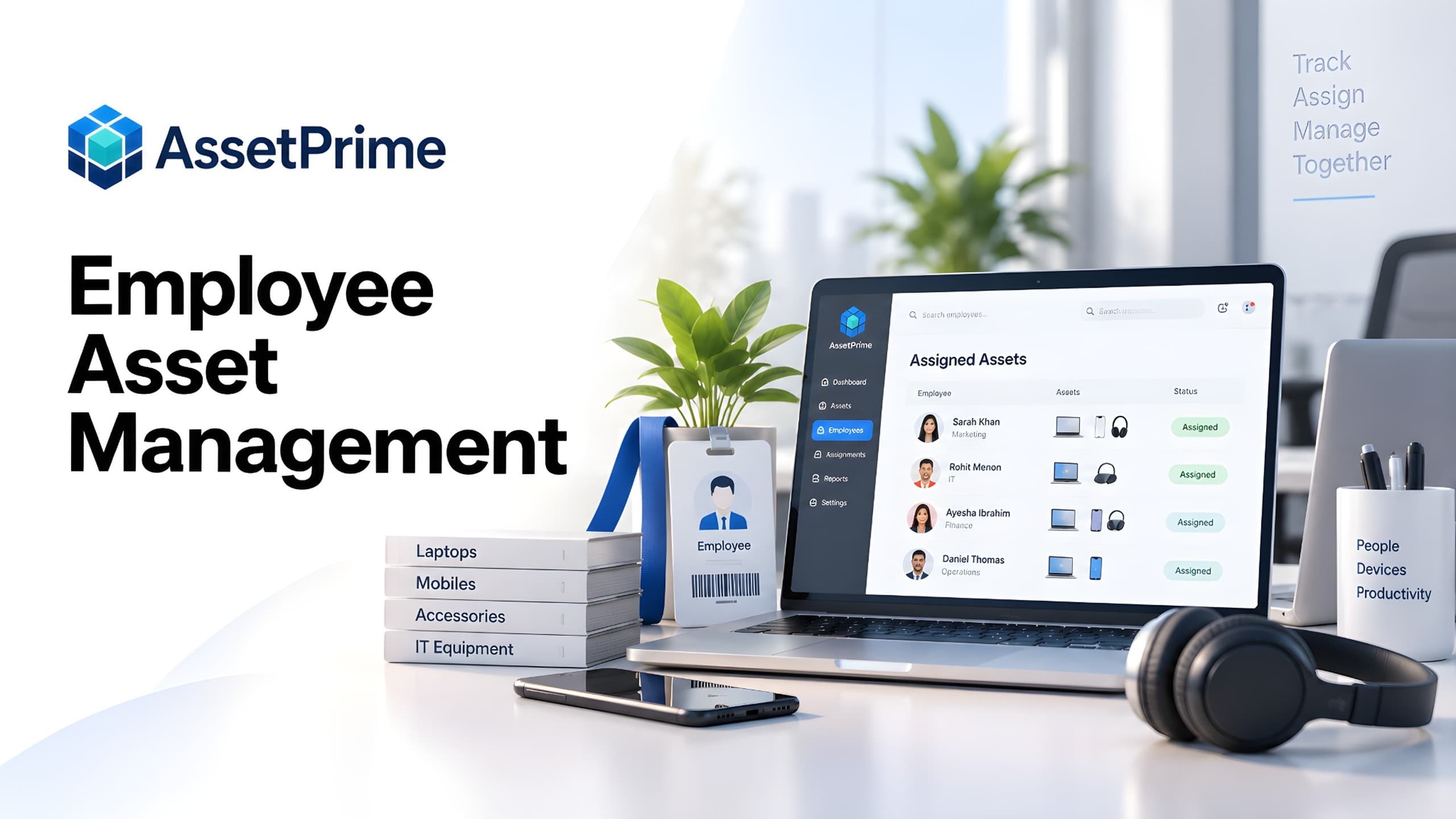
What is employee asset management?
Employee asset management is the process of recording which company assets are issued to employees or other custodians, tracking responsibility while those assets are in use, and preserving assignment, return, transfer, loss, retirement and disposal history.
It is broader than laptop tracking. Organizations may assign monitors, phones, tools, testing equipment, instruments, communication devices, field equipment and other physical assets to people who are responsible for them.
A reliable process connects custody with the actual asset record and lifecycle instead of maintaining a separate employee equipment list that quickly becomes outdated.
“You cannot control assets clearly when ownership, location, maintenance, and audit history live in separate files.”
Why employee asset assignment needs more than a spreadsheet
A spreadsheet can place an employee name beside an asset, but that cell does not explain when assignment started, who held the asset previously, whether it was returned, where it moved next or what happened during the employee's tenure.
Problems increase when departments issue equipment independently, employees move between branches, assets go for service or people leave the organization. Structured assignment transactions preserve current custody and previous history.
What strong asset control should make visible
- ✓Where each asset is located today.
- ✓Who is responsible for the asset.
- ✓When it was purchased, moved, maintained, or disposed.
- ✓Which records are ready for audit, reporting, and decision-making.
Assets commonly assigned to employees and custodians
Common examples include laptops, desktops, monitors, tablets, mobile phones, headsets, scanners, portable devices, tools, meters, testing devices, cameras, communication equipment and field equipment.
The key question is not whether an item is an IT asset. It is whether the organization needs to know who is responsible for the physical asset and what happens when that responsibility changes.
Build an employee asset register with unique asset identity
Assignment works best when every serialized asset has a unique identity with asset code, barcode, category, brand, model, serial number, purchase details, branch, location, condition and lifecycle status.
The assignment record adds custody without replacing the underlying asset record. Barcode or QR identification can speed up lookup, handover, return and physical verification.
Employee versus system user: an important distinction
The person responsible for an asset does not necessarily need permission to log in to the asset management system. A company may have hundreds of employees while only administrators, stores staff, IT personnel or managers operate the software.
AssetPrime supports this distinction through Users and Employees. Users can receive application access according to role, while Employees can exist as non-login people who may still be selected as asset custodians.
How the asset assignment workflow should work
A controlled assignment identifies the asset and the employee or custodian receiving it and records the assignment date. The relationship remains active until the asset is returned, transferred or otherwise leaves that person's custody.
When custody changes, the previous assignment should be closed and the next transaction recorded rather than simply replacing the employee name. This creates a reliable chain of responsibility.
Asset handover and acknowledgement
When issuing valuable equipment, the operational record should identify the exact asset, recipient, issue date and relevant condition or notes.
Depending on internal policy, organizations may complement the system transaction with acknowledgement documents, digital forms or signed handover records.
Track asset returns accurately
Returning an asset should close the active assignment while preserving who previously held it. The equipment can then return to stock, be reassigned, moved, inspected, repaired, retired or disposed of.
Condition can be checked during return so damage, missing accessories or other exceptions are handled through the appropriate internal process.
Handle employee transfers between branches or departments
An employee may move to another department or branch while retaining equipment, or the asset may remain with the original department and require reassignment.
Assignment and physical location should therefore be related but distinct. Keeping both histories prevents ambiguous records and improves multi-branch visibility.
Employee offboarding and asset recovery
Before an employee leaves, the organization should identify every active asset assignment associated with that person.
Each item can then be returned, inspected and reassigned, stored, repaired or retired. Outstanding assignments should be resolved instead of leaving departed employees attached to active equipment.
What happens when an assigned asset is lost?
If an assigned asset is reported lost, preserving the custody relationship and historical context is useful. The lifecycle status can indicate that the asset is lost while assignment history continues to show who was responsible at the time.
This avoids making the record less informative precisely when the organization needs to investigate an exception.
What happens when an assigned asset is retired or disposed of?
Retirement or disposal ends active operational use, so any open assignment should be closed as part of the lifecycle transaction.
The historical assignment should remain available after retirement or disposal, preserving the chain of custody without presenting the asset as currently assigned.
Connect employee assignments with asset movement
Assignment answers who is responsible for an asset, while movement answers where the asset has gone. Both matter when portable equipment travels between offices, branches, rooms, stores or service locations.
Keeping assignment and movement histories connected provides a more accurate lifecycle record than trying to represent both concepts in one spreadsheet column.
Connect assignments with maintenance, warranty and AMC
Assigned equipment may require preventive maintenance, repairs or service-out transactions. Maintenance should remain attached to the asset while custody information shows who currently holds it.
Warranty and AMC dates add another layer of context, helping support teams check coverage before approving paid repair or replacement.
Audit employee-assigned assets
Physical verification should include equipment assigned to employees, not only items sitting in stores. Active assignment lists can be checked against physical assets, with barcode scanning helping confirm identity.
Exceptions may include missing equipment, incorrect custodian, unexpected location, damaged condition or an asset that was returned but never updated.
Reports for employee asset management
Useful reports include active assignments by employee, branch, location, category and assignment date, along with returned assets and previous custody history.
Management may also need to identify employees holding multiple assets, equipment assigned to former staff, lost assets and assignments requiring verification.
Role-based access for asset assignment teams
Not every user should be able to assign, return, move or dispose of assets. Role-based permissions can separate administrators, IT teams, stores staff, branch users and management.
Location scope can limit branch users to relevant assets while central administrators retain consolidated visibility, and audit logs can add traceability for important actions.
Employee asset management implementation checklist
Define which asset categories require custody tracking, clean existing asset and employee data, and establish assignment, handover, return, transfer, lost-asset, offboarding and disposal procedures.
Pilot the process with a representative department and test barcode lookup, assignment, return, branch transfer, maintenance, offboarding and reporting before wider rollout.
How to choose employee asset management software
Evaluate more than a simple employee-to-device mapping. The platform should connect assignments with the full asset record, location hierarchy, movements, maintenance, warranty, documents, lifecycle status, audits and reporting.
Check whether it distinguishes system users from non-login employees, preserves assignment history, closes assignments correctly during returns or disposal, and retains custody context for lost assets.
How AssetPrime supports employee asset assignment and tracking
AssetPrime connects employee custody with the wider physical asset lifecycle. Serialized assets can be assigned to Users or Employees while retaining branch, location, movement, maintenance, warranty, AMC, documents and lifecycle information.
The platform distinguishes login Users from non-login Employees, preserves assignment history, retains custodian context for lost assets, and closes active assignment when an asset is retired or disposed of.
Combined with barcode identification, location scope, role-based access, audit logs and assignment reporting, this provides a structured alternative to disconnected employee equipment spreadsheets.
Final checklist for employee asset tracking
For every assigned asset, the organization should be able to answer: what is it, who currently holds it, when was it assigned, where is it located, what condition is it in and what happened previously?
Employee asset management becomes reliable when custody is treated as part of the asset lifecycle rather than as a name typed into a spreadsheet.
Related AssetPrime Pages
Continue with related pages
Explore connected features, guides, solutions, and industry pages that support this topic.
FAQ
Frequently asked questions
What is employee asset management?
Employee asset management is the process of assigning company assets to employees or custodians and tracking responsibility, handovers, returns, transfers and custody history throughout the asset lifecycle.
What assets can be assigned to employees?
Organizations can assign laptops, monitors, phones, tablets, tools, testing equipment, communication devices, field equipment and other serialized physical assets that require individual responsibility.
Does every employee need a software login?
No. A custodian can be represented as a non-login employee while only authorized operational users receive access to the asset management system.
How should an asset return be recorded?
The active assignment should be closed while preserving previous custody history. The asset can then be stored, reassigned, transferred, serviced, retired or disposed of.
How does employee offboarding work with asset management?
The organization should identify all active assignments for the departing employee, recover each item and record the return or appropriate lifecycle action.
Should a lost asset remain linked to the employee?
Preserving custody context is useful when an assigned asset is reported lost. The lifecycle status can change to lost while history shows who was responsible at the time.
What happens to assignment when an asset is disposed of?
An active assignment should be closed when the asset is retired or disposed of, while historical assignment remains available.
Can barcode scanning help employee asset tracking?
Yes. Barcode or QR identification can speed up lookup, assignment, return and physical verification by connecting the physical item with its digital record.
Can employee asset management work across multiple branches?
Yes. A suitable system can combine custody with branch and location information while permissions or location scope control access for operational teams.
How does AssetPrime support employee asset assignment?
AssetPrime supports assignment of serialized assets to Users and Employees, preserves assignment history, connects custody with movement and lifecycle records, and provides barcode, location, role-based access, audit and reporting capabilities.
Continue Reading
Related articles
Asset Management
Asset Receiving Process and Checklist: From Delivery to Asset Register
Read Article →
Asset Management
What Is Asset Management Software? A Complete Guide for Modern Organizations
Read Article →
Asset Tracking
Asset Tracking vs Inventory Management: Key Differences for Modern Businesses
Read Article →