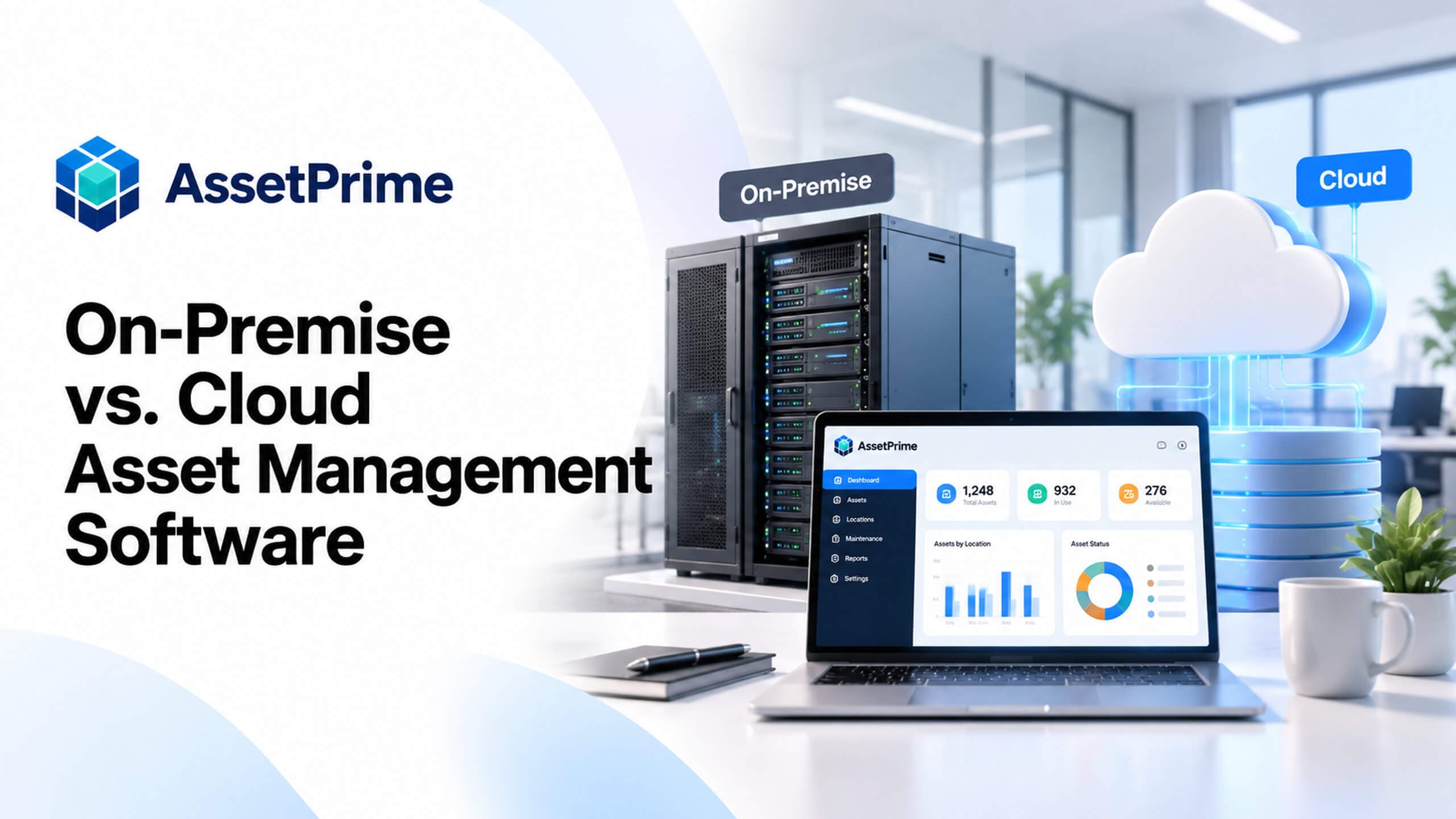
What does on-premise versus cloud deployment actually mean?
Deployment describes where an asset management application runs, how authorized users reach it, and who operates the underlying infrastructure. It is a separate decision from whether the software tracks individual serialized assets, quantities by location, assignments, maintenance or audits.
On-premise usually means that the application runs on infrastructure at the organization’s own site or inside an environment operated under its direct control. Self-hosted can also describe customer-controlled infrastructure rented from a data centre or cloud provider. Cloud-hosted means the application runs in a hosted environment; the vendor or an infrastructure partner may operate some or all of it.
The important distinction is not simply whether a server sits in an office. Ask who owns operational tasks, what the agreement covers, where the data resides, and how access, backups, upgrades and recovery will be handled.
“You cannot control assets clearly when ownership, location, maintenance, and audit history live in separate files.”
On-premise asset management software: where it fits
An on-premise or customer-controlled deployment can fit organizations with an established IT operations team, specific network architecture, integration needs or hosting policies that require them to administer the server environment.
This model can provide direct control over infrastructure configuration, network access and internal operating processes. That control also creates obligations: the customer or its infrastructure partner must maintain the server, operating system, network, monitoring, backups and recovery procedures unless another responsibility is explicitly contracted.
On-premise does not automatically mean offline, isolated or more secure. Remote access, availability and protection depend on the actual architecture and the controls implemented.
What strong asset control should make visible
- ✓Where each asset is located today.
- ✓Who is responsible for the asset.
- ✓When it was purchased, moved, maintained, or disposed.
- ✓Which records are ready for audit, reporting, and decision-making.
Cloud asset management software: where it fits
Cloud-hosted deployment is often attractive to teams that want authorized access across locations without operating their own application servers. In a managed model, the service provider can take responsibility for specified hosting tasks, subject to the written agreement.
Cloud hosting does not by itself guarantee uninterrupted availability, compliance, backups, unlimited storage or automatic upgrades. Confirm the precise scope of monitoring, backup and recovery arrangements, operating-system management, support access and incident response.
Cloud hosting is also not the same as software subscription pricing. A product may be purchased under a one-time licence while its optional hosting service has a recurring charge.
On-premise vs. cloud: comparison at a glance
Use the table below as a planning comparison, not a universal rule. Security, data location, uptime, backups and access are implementation-dependent in both models.
For AssetPrime specifically, the two options are customer-controlled self-hosted deployment and an optional AssetPrime-managed cloud service. The business scope and applicable service responsibilities are agreed before implementation.
| Consideration | On-premise / self-hosted | Managed cloud |
|---|---|---|
| Server environment | Operated by the customer or its infrastructure partner | Operated within the agreed hosting service scope |
| Infrastructure access | Customer controls network and server access | Access arrangements are agreed with the hosting provider |
| Backups and restore | Customer operates and verifies backup and recovery | Provider and customer responsibilities must be documented |
| Internal IT workload | Generally higher infrastructure operations responsibility | Some hosting work may be delegated |
| Branch access | Requires suitable secure connectivity and access design | Requires suitable connectivity, access and service availability |
| Data residency | Depends on the chosen customer-controlled environment | Depends on agreed hosting region and service terms |
| Ongoing costs | Infrastructure, support, security and internal IT effort | Hosting service plus agreed support and operating costs |
| AssetPrime licence | One-time licence; annual support as agreed | Same licensing approach; optional recurring managed hosting |
Who is responsible for security, backups and recovery?
A hosting decision should start with a responsibility matrix. Identify who manages operating-system patches, database maintenance, network controls, authentication setup, infrastructure backups, restore tests, logging and incident handling. Application roles and business access decisions remain important in either model.
In AssetPrime’s self-hosted model, the customer manages and verifies its infrastructure backup and recovery process. For the optional managed-cloud model, backup and operating responsibilities are defined by the agreed service scope; do not assume every task is included without checking the contract.
Ask for a documented recovery objective and a test procedure appropriate to the organization’s risk. A backup copy is not the same thing as a proven ability to restore operations.
Data location, compliance and ownership are separate questions
Data residency, permitted data transfers, retention and audit requirements can influence deployment selection. A cloud environment may sometimes be configured for a preferred hosting region, but the region and permitted processing locations must be explicitly confirmed. Customer-controlled hosting is also subject to applicable organizational and legal requirements.
Discuss who may access production data for support, how data can be exported, what happens at contract expiry, and which party is responsible for retention and secure deletion. These decisions should be written into the project and service documentation.
Neither deployment model automatically guarantees compliance with a particular law, certification or sector standard. Organizations should assess their actual obligations with qualified internal or external advisers.
Access across offices, warehouses and remote locations
For multi-location asset operations, determine where receiving teams, auditors, IT administrators and managers need access. A self-hosted server can support distributed locations if network connectivity and secure remote access are designed for that requirement.
A hosted service can simplify infrastructure administration for distributed teams, but connectivity, device policy, location permissions and service availability still need testing. During a pilot, validate expected access from each representative site rather than assuming remote workflows work identically everywhere.
Deployment choice should not be confused with location-based asset permissions. AssetPrime’s application workflows and authorized-user scope are configured as part of implementation regardless of hosting model.
Compare total cost over three to five years
Compare the same scope and period for both options. Include any software licence, implementation, import and training costs in year one. Then include annual support, hosting or infrastructure operation, hardware refresh, backups, monitoring, connectivity, security work and internal IT time over the selected period.
For AssetPrime, the software is offered under a one-time licensing approach with an annual support arrangement. An AssetPrime-managed cloud environment is an optional recurring service, so the hosting charge should not be mistaken for a mandatory monthly software subscription.
The cheaper option depends on the organization’s existing infrastructure and staff capability. An existing server is not necessarily free to operate; equally, outsourced hosting may incur charges for capacity, storage or other agreed services.
A practical example: a business operating three branches
Consider a business that tracks laptops individually and manages office furniture as quantities by location across three branches. The asset workflows require controlled receiving, transfers, assignments, physical audits and reporting. Those functional requirements remain broadly the same whether the application is customer-hosted or managed in the cloud.
With customer-controlled hosting, the business first checks whether its infrastructure team can operate the server, arrange secure connections for all branches and verify backups. With managed cloud, it checks the provider’s service scope, access model, recovery obligations and hosting charges.
The decision is not that one deployment tracks assets better. It is which operating model lets the organization use the agreed asset workflows reliably, securely and sustainably.
Decision checklist: eight questions before choosing
Use the following questions during discovery with IT, operations, security and procurement. Record the decision and responsible party for each question; a choice without named responsibilities is not a complete deployment plan.
This short checklist is intended for selecting a deployment model. Detailed technical requirements, contractual commitments and compliance review should be documented separately.
Eight deployment decisions to document
- ✓Does policy require infrastructure controlled by your organization?
- ✓Who will maintain operating systems, network access and server security?
- ✓Who owns infrastructure backups, restore tests and recovery decisions?
- ✓Where must asset information be hosted and who may access it for support?
- ✓Which branches and user roles need access, and how will connectivity be tested?
- ✓What availability, escalation and incident-response arrangements are required?
- ✓What is the realistic three-to-five-year total operating cost for each option?
- ✓Are hosting, licence, support, responsibilities and exit arrangements written into the quotation?
What to verify during a deployment pilot
Before production rollout, test a realistic subset of assets and users in representative locations. Confirm application access, role permissions, importing records, serialized tracking, quantity-based stock, movement history, backup responsibilities and agreed support escalation.
Also verify what happens during a network interruption, how users report an issue, which monitoring and recovery actions the infrastructure owner performs, and how a restore will be tested. These checks should be appropriate to the agreed scope; they are not a promise of offline transactions or automatic failover.
Document any gaps, ownership changes or additional charges before go-live acceptance.
How AssetPrime supports both deployment approaches
AssetPrime offers customer-controlled on-premise or self-hosted deployment and an optional AssetPrime-managed cloud hosting service. It is the same asset management product offered for the agreed scope, rather than two unrelated product editions.
AssetPrime supports asset operations such as serialized and quantity-based tracking, branches and locations, assignments, receiving, movements, maintenance, audits and reporting. Hosting decisions do not replace the need to configure these workflows, users and access controls correctly.
See the AssetPrime Deployment Options page for the official description of operating responsibilities and the Implementation page for what both models require during setup. Final hosting, support, backup and service arrangements are confirmed in the quotation and project scope.
Official AssetPrime product information
Compare the two supported deployment models
Review the official deployment responsibilities and implementation approach. Final service and backup arrangements are documented for the selected scope.
View AssetPrime deployment options →Common mistakes when evaluating cloud and on-premise options
A common error is to select a hosting model purely by the initial licence or hosting price, without accounting for internal labour, backup testing, operational support and future growth. Another is to assume that the word cloud means the vendor covers all security and compliance obligations.
Avoid treating on-premise as automatically private or cloud as automatically accessible from anywhere. Both rely on appropriate infrastructure and controls. Also avoid asking only whether data can be exported: ask who performs the export, in which format and under what exit or migration process.
A documented responsibility matrix, an agreed implementation plan and a realistic multi-year cost comparison reduce these misunderstandings.
Which deployment model should your organization choose?
Choose customer-controlled hosting when infrastructure control is a documented requirement and your organization has the resources to operate the environment. Consider managed cloud when delegating the hosting environment is preferable and its scope, access, costs and recovery arrangements meet your requirements.
If the answer is uncertain, begin with requirements discovery rather than an assumed winner. Validate users, locations, security policy, infrastructure readiness, data governance and long-term costs, then request a deployment-specific proposal.
The most useful outcome is not a cloud-versus-on-premise slogan. It is a clear agreement on where AssetPrime will operate, how your teams will use it, and who is accountable for the infrastructure that supports it.
Related AssetPrime Pages
Continue with related pages
Explore connected features, guides, solutions, and industry pages that support this topic.
FAQ
Frequently asked questions
What is the difference between on-premise and cloud asset management software?
The main difference is where the application runs and who operates the hosting infrastructure. Asset tracking workflows may be similar, but responsibilities for servers, networking, backups, monitoring and recovery differ by setup and agreement.
Does AssetPrime offer both on-premise and cloud deployment?
Yes. AssetPrime offers customer-controlled on-premise or self-hosted deployment and an optional AssetPrime-managed cloud hosting service. The agreed product scope and service responsibilities are confirmed before implementation.
Is AssetPrime a monthly SaaS subscription when hosted in the cloud?
Not by default. AssetPrime uses one-time software licensing with an annual support arrangement. Optional managed-cloud hosting is a recurring service whose terms and charges are quoted separately.
Is on-premise asset management automatically more secure than cloud?
No. Security depends on configuration, access controls, patching, monitoring, backups and operating practices. Both customer-controlled and cloud environments can be well or poorly secured.
Who is responsible for backup and recovery?
In a self-hosted AssetPrime deployment, the customer operates and verifies infrastructure backups and recovery. For optional AssetPrime-managed cloud, the responsibilities are defined in the agreed hosting service scope.
Can multiple branches use an on-premise asset system?
They can when secure network connectivity and remote access are designed and maintained for the requirement. Branch workflows and user permissions must still be configured and tested.
Does cloud deployment guarantee data residency or regulatory compliance?
No. Hosting region, processing locations and applicable compliance requirements must be confirmed separately. The deployment model alone does not guarantee a particular legal or sector requirement.
What should I include when comparing cloud and on-premise costs?
Compare licence, implementation, annual support, hosting or servers, monitoring, backups, security operations, connectivity, upgrades and internal IT effort over a consistent three-to-five-year period.
Can I choose the deployment model after an AssetPrime demonstration?
Yes. A requirement discussion and demo can help clarify the number of users, branches, workflows, technical constraints and hosting responsibility before the quotation is finalized.
Continue Reading