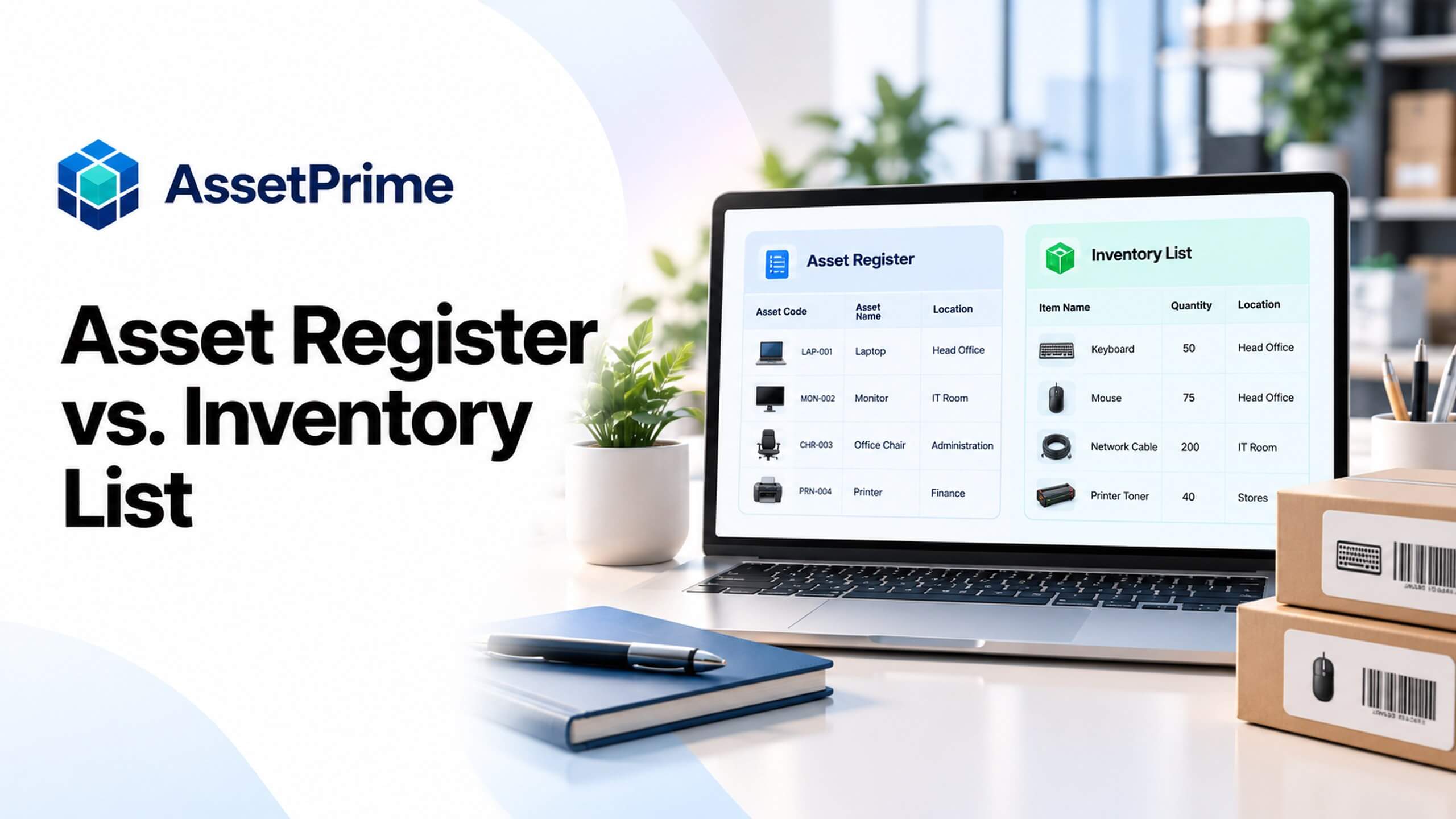
Asset register vs. inventory list: what is the difference?
An inventory list typically answers which items are on hand, how many are available and where that stock is kept. An asset register goes further: it organizes the identity, accountability, condition, value and lifecycle of assets that an organization needs to manage over time.
The two records can overlap. An inventory list may already include asset codes or financial fields, and an asset register can also track quantities. The distinction is less about the file name and more about whether the record is a current stock snapshot or a maintained history of business assets.
“You cannot control assets clearly when ownership, location, maintenance, and audit history live in separate files.”
What is an inventory list?
An inventory list is a structured record of items and quantities, often organized by item name, stock code, unit, branch, store, location and counted or available quantity. Teams use it for stocktakes, replenishment, issue and receipt checks, and location-level availability.
Inventory lists can include spare parts, consumables, saleable stock and quantity-tracked operational equipment. A list can be a spreadsheet, a printed count sheet or a report from inventory software. A list alone, however, does not necessarily tell the full custody or service history of a specific unit.
What strong asset control should make visible
- ✓Where each asset is located today.
- ✓Who is responsible for the asset.
- ✓When it was purchased, moved, maintained, or disposed.
- ✓Which records are ready for audit, reporting, and decision-making.
What is an asset register?
An asset register is the maintained record of assets owned or controlled by an organization. It usually includes a durable asset identity, category, acquisition details, branch and location, custodian where applicable, status, condition, and information needed for audits or lifecycle decisions.
A mature asset register can connect each record to movements, assignments, maintenance, warranty, AMC, insurance, depreciation, audit activity and retirement or disposal. A fixed asset register is a related, finance-oriented subset that concentrates on capitalized items and accounting values. Operational assets may be tracked even when they are not capitalized.
Asset register vs. inventory list: side-by-side comparison
The comparison below describes the typical purpose of each record, not a rule that every inventory file must have fewer columns. A well-designed system may provide both views from connected underlying records.
Ask what decision the team needs to make. If it is “How many chairs are in this storeroom?”, a stock list may be sufficient. If it is “Which laptop is assigned to this employee, and what happened to it?”, an asset register with unit history is more useful.
| Question | Asset register | Inventory list |
|---|---|---|
| Primary purpose | Asset identity, accountability and lifecycle | Current items, quantities and availability |
| Typical identifiers | Asset code and serialized unit ID when needed | Item or stock code; optional batch or serial |
| Location | Current location, often with movement history | Stock location and counted or available balance |
| People and custody | Custodian and assignment history when relevant | Not always needed for stock counts |
| Financial detail | Acquisition cost and book value where relevant | Stock value or unit cost where relevant |
| Change history | Receiving, transfers, maintenance, audit and disposal | Receipts, issues, adjustments and stocktakes |
| Best example | A particular laptop and its history | How many identical chairs are in a room |
Example 1: individually tracked laptops
Suppose IT has eight laptops. An inventory list could say “Laptop, 8 units, Head Office”. That is useful for a quick quantity check, but not enough to confirm whether laptop LAP-008 is assigned, in repair, missing or ready for issue.
With serialized tracking, the asset register can connect LAP-001 through LAP-008 to their distinct unit codes, serial numbers, locations, custodians, condition and movement history. A stock summary can still show eight units while the register retains the detail needed to investigate individual devices.
Example 2: quantity-based office chairs
Now consider 24 matching office chairs split between two locations: 14 in Head Office and 10 in a branch. An inventory list with quantities by location may be exactly the right daily view for a stock check or transfer.
The chairs can also belong to an asset register as a quantity-tracked asset category or master record, with purchasing information, location balances and relevant condition or lifecycle details. Individual chair serial numbers should not be invented when they serve no operational purpose.
Which fields belong in an asset register?
Start with asset code, asset name, category, tracking type, serial or instance identity when applicable, branch, location, responsible person or department, purchase details, condition and lifecycle status. Add warranty, maintenance, insurance, audit and value details when they are needed and governed.
For quantity-based assets, include unit and quantity, and keep separate location balances instead of repeating the same stock count across several records. For a practical downloadable starting point, use the Asset Register Format page, which provides a template and column explanations.
Free practical resource
Asset register format and editable template
See the field definitions and download the AssetPrime asset register template. Choose serialized or quantity-based tracking according to the items you manage.
View the asset register format and template →Which fields belong in an inventory list?
An operational inventory list commonly contains item code, item description, unit of measure, location, opening balance or current quantity, and count or movement references. Some organizations also include reorder point, reserved quantity, supplier, batch or stock cost depending on their workflow.
These are examples, not compulsory fields for every business. A hospital equipment list, a consumables count sheet and an office furniture stock report may legitimately use different columns. Define the list around the questions its users need to answer.
Why a stock count is not the same as an asset audit
A stock count compares physically observed quantities with recorded balances. A physical asset verification may additionally check the unique identity of each serialized item, its condition, custodian, lifecycle status and whether the record matches the observed location.
A discrepancy should be investigated rather than silently corrected. The count or scan is evidence; changing inventory balances or asset records should follow an authorized review and resolution process. This is especially important when audit findings could affect financial or operational decisions.
How to decide which record you need
Use the decision checklist below when reviewing a spreadsheet or designing your control process. Many organizations need both: a stock-position view for quantity decisions and an asset register for accountability and history.
Do not force high-value serialized equipment into one quantity row simply to keep the spreadsheet short. Equally, do not create an individual identity for every interchangeable low-risk item when location-level quantity tracking provides enough control.
Six questions before choosing the right record
- ✓Do you need only a current quantity, or the history of a particular asset?
- ✓Does each unit need a unique code, serial number or assigned custodian?
- ✓Will the item move between branches, rooms or responsible teams?
- ✓Must you track maintenance, warranty, condition, value or disposal?
- ✓Can interchangeable items be controlled accurately as quantities by location?
- ✓Do stock counts and asset-verification exceptions require separate review?
Can one asset management system handle both?
Yes, provided the system distinguishes individually identified units from quantity-based stock. The operational model should determine whether receiving creates serial or instance records, updates bulk location balances, or both within different asset categories.
AssetPrime supports serialized assets and bulk or quantity-based assets, with location-aware stock and movement records. Its asset register and related reports help teams work with both the current position and the operational history. This is different from claiming that every item must be assigned to a person.
How to move from a spreadsheet list to structured asset records
First, identify what each row represents: one unique physical item, a type of equipment, or a quantity at a location. Next, standardize names, categories, location labels and units. Separate assets requiring individual accountability from items best managed by quantity.
Reconcile the current physical count before import, resolve duplicates, verify known serial numbers, and preserve source references. Then define how new receiving, transfers, assignments, repairs and disposals will update the records. A clean initial import will deteriorate if daily transactions continue in disconnected spreadsheets.
Common mistakes to avoid
Do not assume an inventory list is wrong simply because it is short. Its purpose may only be to show current quantities. The problem arises when a team relies on that snapshot to answer questions about individual custody, service events or disposal evidence that were never captured.
Other errors include using asset name as a unique identifier, treating a warehouse stock report as a financial fixed asset register, assigning every quantity-tracked item to a fictional serial number, and overwriting location or owner fields without retaining a movement or custody history.
How AssetPrime connects stock visibility with the asset lifecycle
AssetPrime provides asset master records, serialized instance tracking, quantity-based stock control and visibility across branches and locations. Related workflows include receiving, movements, assignments, maintenance, warranty, AMC, insurance, audits, reporting and disposal.
For a practical starting point, use the free asset register format and then explore the dedicated Serialized Asset Tracking and Quantity-Based Asset Tracking feature pages. The software is intended to connect asset and stock information; this comparison article is an educational guide, not a live AssetPrime screen.
Final takeaway
An inventory list is often the right answer to “What do we have here, and how many?”. An asset register is the stronger answer to “Which assets do we control, who is responsible, what is their current state, and what has happened throughout their lifecycle?”.
The best record is the one that preserves the detail needed for the decision. For organizations handling both serialized devices and interchangeable bulk equipment, connected asset and stock views offer more control than forcing everything into a single spreadsheet format.
Related AssetPrime Pages
Continue with related pages
Explore connected features, guides, solutions, and industry pages that support this topic.
FAQ
Frequently asked questions
Is an asset register the same as an inventory list?
Not exactly. An inventory list typically emphasizes items, quantities and current locations, while an asset register emphasizes asset identity, accountability, condition, value and lifecycle information. Their fields can overlap, and connected systems may provide both views.
Can an asset register include bulk or quantity-based assets?
Yes. An asset register can include a quantity-tracked asset master with location-level balances when individual serial numbers are unnecessary. Serialized equipment should have distinct unit identities when item-level control is required.
What is the difference between a stock list and a fixed asset register?
A stock list usually supports operational quantity and availability checks. A fixed asset register is finance-focused and typically tracks capitalized assets, acquisition cost, depreciation, book value and disposals. An operational asset register may include items regardless of capitalization.
Should office chairs have individual asset IDs?
Not always. If identical chairs are managed as low-risk quantities, location-level tracking may be sufficient. If individual chairs are high-value, frequently reassigned or require specific inspection history, individual identification may be useful.
Does an inventory list show who is using a laptop?
It may if additional custody fields are maintained, but a simple stock list usually does not contain the full assignment and return history of each laptop. Serialized asset records are better suited to that requirement.
Can I start an asset register in Excel?
Yes. A well-structured Excel template is a reasonable starting point for a small or stable asset base. When many users, locations and transactions are involved, controlled asset workflows and history become increasingly important.
Does AssetPrime support both an asset register and stock quantities?
AssetPrime supports serialized asset records and quantity-based asset stock across locations. It connects those records with relevant lifecycle operations, including receiving, movement, audit, assignment where applicable, maintenance and reporting.
What should I check before converting an inventory spreadsheet into an asset register?
Confirm whether each row represents one unique unit or a quantity, normalize asset codes and locations, identify reliable serial numbers, reconcile quantities and define how receiving, movements and disposals will be recorded afterward.
Continue Reading