What is an employee asset-assignment form?
An employee asset-assignment form records the handover of a specific company-owned item to a person who will be responsible for it. It connects the employee or custodian, the identifiable physical asset, the issue date, its starting condition and the agreed next step when it is returned.
The form is evidence of a handover, not a replacement for the live asset register or an assignment transaction. Organizations can use a paper form, a documented digital acknowledgement or an approved internal record alongside their asset management software. This guide provides a sample form structure that teams can adapt to their own policies.
“You cannot control assets clearly when ownership, location, maintenance, and audit history live in separate files.”
When is a handover form useful?
A handover record is especially useful for laptops, monitors, phones, tablets, portable tools, instruments and other serialized assets that a person takes into their custody. It can also be useful for shared equipment when a specific individual is temporarily accountable for an item.
Create or update the record when equipment is first issued, reassigned to another custodian, exchanged for a replacement or returned at the end of employment. For quantity-based stock, record issued and returned quantities by location rather than inventing individual serial numbers for interchangeable items.
What strong asset control should make visible
- ✓Where each asset is located today.
- ✓Who is responsible for the asset.
- ✓When it was purchased, moved, maintained, or disposed.
- ✓Which records are ready for audit, reporting, and decision-making.
Fields to include in an employee asset-assignment form
Capture enough detail to identify the recipient, the specific asset and the handover event. The sample form below groups the essential fields into employee details, asset identity, issue details and acknowledgement. Use a unique asset or instance code where available; a model name alone does not distinguish two identical laptops.
An expected return date may be useful for a temporary loan but should not be presented as mandatory for permanent equipment assignments. Signature or acknowledgement fields should follow your organization’s policy and may be recorded outside the asset management system.
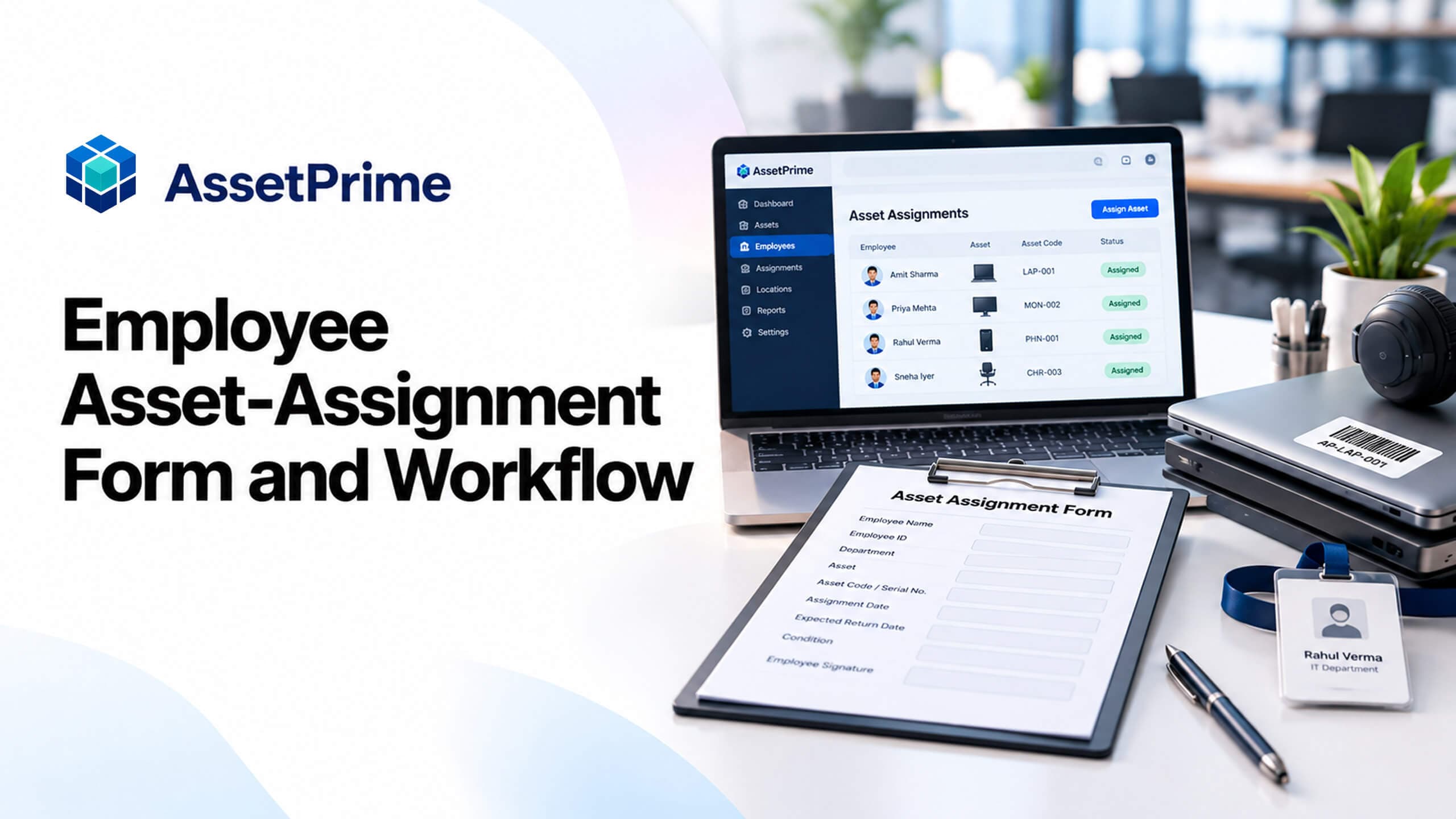
Sample employee asset-assignment form (copy-ready field structure)
Use the example form below as a starting point. A single document can contain several asset lines for one employee, but each serialized item should still have its own traceable identity. Do not record passwords, personal access tokens or unnecessary sensitive information on the form.
The sample is an organizational template—not a screenshot, generated document or native electronic-signature feature of AssetPrime. Keep the signed or acknowledged evidence according to your internal retention and privacy procedures.
Example form · adapt to your policy
Employee equipment handover record
Suggested fields for an internal handover record. This is not an AssetPrime application screen or a digital-signature tool.
Employee / custodian name
________________________
Employee ID / department
________________________
Asset name and category
________________________
Asset / instance code
________________________
Serial number / barcode
________________________
Branch / issue location
________________________
Issue date
________________________
Condition at issue
________________________
Accessories / included items
________________________
Issued by / receiving person
________________________
Acknowledgement reference (if used)
________________________
Expected return (if temporary)
________________________
Step 1 — Verify the employee and the asset
Confirm the employee or designated custodian and department, then match the physical unit against the asset register. Check the asset ID, instance ID or serial number, barcode where used, current lifecycle status and location before moving custody.
For a laptop kit, distinguish the laptop from separately trackable accessories. If a charger, docking station or monitor has its own asset record, do not assume that the laptop assignment proves those items were issued too.
Step 2 — Inspect condition and document the handover
Check the device or equipment in front of the recipient where practical. Note visible damage, missing accessories or other exceptions before marking the item issued. The handover date, issuing team and receiving employee should be clear in the record.
If your organization requires an acknowledgement, explain the expected use, reporting responsibilities and return process. An acknowledgement may be a signed document or approved separate electronic process; the supplied AssetPrime marketing source does not establish a built-in e-signature workflow.
Step 3 — Record the assignment in AssetPrime
AssetPrime’s published assignment functionality supports connecting serialized assets to employees or users, preserving custody history and recording return and reassignment activity. Keep the asset identity, custodian, branch, location and relevant lifecycle information consistent with the actual handover.
Where your organization also uses a signed handover sheet, treat it as supporting evidence. Do not assume that completing this example form automatically creates a transaction or uploads a document into AssetPrime.
Step 4 — Manage transfers and temporary loans
When a unit changes hands, close or update the former custody relationship through the appropriate workflow rather than merely editing a spreadsheet name. A temporary loan should have a clear expected return date and a responsible custodian while the item is away.
Remember that custody and physical location answer different questions. A laptop may remain assigned to one employee while its branch or service location changes. Check both records when handling transfers or equipment sent for maintenance.
Step 5 — Complete the return and offboarding check
Before an employee exits or a loan ends, review every active assignment for that custodian. Verify each returned unit against its asset identifier, including accessories that are tracked separately. Record the return date, condition, receiving person and any missing or damaged items.
A returned laptop may need inspection, data handling, repair or reassignment before it is ready to issue again. Closing the employee’s assignment should not imply that these follow-up tasks have already been completed.
Employee asset assignment and return checklist
Use the following checklist during issue and return. It is a practical operating control, not a claim that every checkbox is an automated AssetPrime validation rule.
If there is a discrepancy, record it and direct it to the appropriate IT, HR, facilities or asset-control owner. Do not rewrite previous custody history to make the current status appear cleaner.
12 checks for issue, custody and return
- ✓Verify the employee or custodian and authorized issuing team.
- ✓Match each serialized item to its asset or instance ID.
- ✓Confirm serial number and barcode where applicable.
- ✓Check the current branch, physical location and availability.
- ✓Inspect and record condition before issue.
- ✓Record separately tracked accessories or kit components.
- ✓Capture the issue date and issuing person.
- ✓Obtain acknowledgement if required by company policy.
- ✓Record the assignment in the asset management system.
- ✓Review all open assignments before transfer or offboarding.
- ✓Verify returned items, accessories and condition.
- ✓Record actual return, exceptions and the next lifecycle action.
Example: issue a laptop and monitor to a new employee
Suppose an IT team issues laptop LAP-0142 and monitor MON-0081 to a new employee. Each item should have its own asset identity and condition check. The handover record can list both items, and the asset system should show the relevant custodian for each tracked unit.
When the employee later returns the laptop but retains the monitor during a transfer, those are two different outcomes. Record the laptop return and next location without incorrectly closing the monitor assignment. This is why one employee name in a spreadsheet row is not enough.
Common mistakes in employee asset handovers
Avoid using only the asset name instead of its unique identifier, ignoring accessories, failing to inspect condition, treating a temporary loan as permanent, or leaving an assignment active after a recorded return. Another common mistake is replacing a custodian name without retaining the previous handover history.
A form also cannot substitute for company policy. Define who may issue equipment, who can acknowledge receipt, which exceptions require review and what happens when an item is missing or damaged. Avoid including personal information that is unnecessary for asset custody.
How this form relates to AssetPrime’s assignment workflow
This guide focuses narrowly on the fields and checks needed for a dependable handover. AssetPrime’s Asset Assignment Management feature focuses on the ongoing operational record: assigning serialized units, tracking custody, returns, reassignment and the connection to locations, movements and asset lifecycle history.
For a wider introduction to employee asset management, read the existing Employee Asset Management and Asset Assignment Guide. For product details, see Asset Assignment Management and the Employee Asset Management solution pages. These are complementary resources rather than competing articles.
Key takeaway
A useful employee asset-assignment form answers five practical questions: who received the item, which exact unit was issued, when the handover happened, what condition it was in and what happened when custody ended.
Keep handover evidence alongside a consistent, current asset record. That combination makes employee issue, transfer, return and offboarding easier to verify.
Related AssetPrime Pages
Continue with related pages
Explore connected features, guides, solutions, and industry pages that support this topic.
FAQ
Frequently asked questions
What is an employee asset-assignment form?
It is a handover record that identifies the employee or custodian, the exact company asset, the issue date, condition and any required acknowledgement or return information.
What fields should an employee laptop handover form include?
Include employee name or ID, department, laptop asset or instance ID, serial number where available, issue date, condition, accessories, issuing person and any acknowledgement required by company policy.
Do employee handover forms need signatures?
That depends on internal policy and applicable requirements. A signature or approved electronic acknowledgement may provide supporting evidence, but it should not be assumed to be a native feature of every asset management system.
Should a form include a return date?
Include an expected return date for temporary loans where appropriate. For long-term assignments, record the actual return date when custody ends.
How do you record multiple assets assigned to one employee?
List each serialized asset separately with its unique identity and condition. One handover document may cover multiple items, but each unit should remain individually traceable in the asset register.
What should happen when an employee returns an asset?
Verify the correct item and accessories, document its condition and return date, close or update the custody record, and record any subsequent inspection, maintenance or reassignment separately.
Can AssetPrime track employee asset assignments and returns?
AssetPrime’s documented features support serialized asset assignment, custody history, returns and reassignment. This article’s sample form does not automatically sync with the application.
Is this sample assignment form legally binding?
It is an operational example, not legal advice or a standardized agreement. Organizations should review acknowledgement terms, privacy, retention and policy language with their appropriate advisors.
Continue Reading